

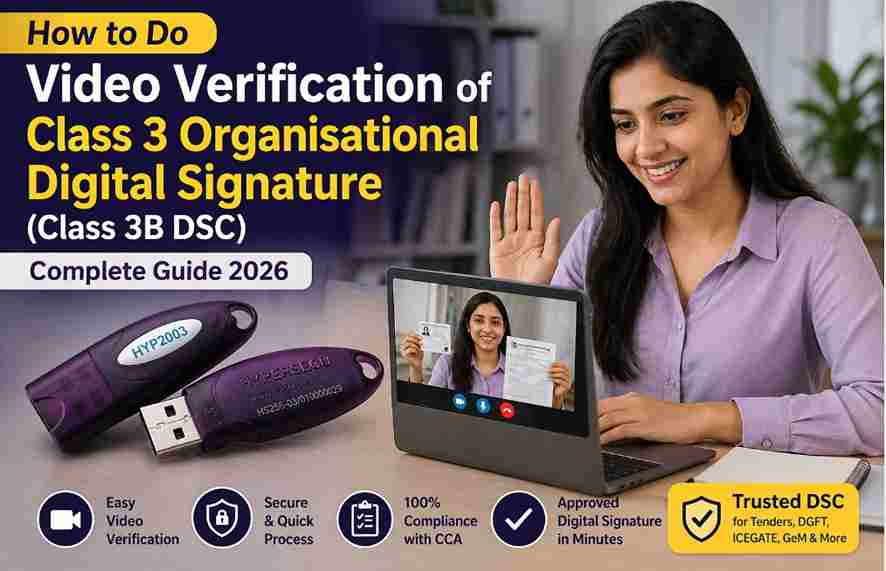
How to Do Video Verification of Class 3 Organisational Digital Signature (Class 3B DSC) – Complete Guide 2026
How to Do Video Verification of Class 3 Organisational Digital Signature (Class 3B DSC) – Complete Guide 2026 If you are applying for a Class 3 Organisational Digital Signature Certificate (DSC) for eTendering, DGFT, GeM, ICEGATE, or government procurement portals, then video verification is a mandatory step before approval.
Many applicants get confused during the verification process and sometimes face rejection due to small mistakes like unclear voice, missing documents, camera permission issues, or incorrect script reading.

In this complete guide, you’ll learn:
- What is Class 3 Organisational DSC
- Why video verification is compulsory
- How to complete video verification successfully
- Common rejection reasons
- Bonus expert tips for faster approval
What is Class 3 Organisational DSC?
A Class 3 Organisational DSC, also known as Class 3B Digital Signature, is issued for:
- Private Limited Companies
- LLP Firms
- Partnership Firms
- Proprietorship Businesses
- NGOs / Trusts
- Other Organisations
It is mainly used for:
- eTender Portals
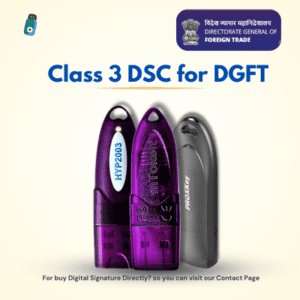
- DGFT Portal
- ICEGATE Registration
- GeM Tenders
- MahaTender
- Uttarakhand Tender
- UP eTender
- Government Procurement Websites
This DSC includes both:
- Applicant Name
- Organisation Name
That is why it is different from Individual DSC.
Difference Between Individual DSC and Organisational DSC
| Feature | Individual DSC | Organisational DSC |
|---|---|---|
| Used By | Person | Company / Business |
| Main Use | GST, Income Tax, MCA | Tenders, DGFT |
| Contains Company Name | No | Yes |
| Authorised Person Needed | No | Yes |
| Video Verification | Yes | Yes |
Why Video Verification is Required for DSC?
As per CCA (Controller of Certifying Authorities) guidelines, identity verification is mandatory before issuing Digital Signature Certificates.
Video verification helps:
- Confirm applicant identity
- Prevent fake applications
- Verify original documents
- Validate authorised signatory
- Maintain legal compliance
No Certifying Authority can issue Class 3 Organisational DSC without verification.
How to Do Video Verification of Class 3 Organisational DSC
Follow these steps carefully:
Step 1: Open Verification Link
After application submission, you receive a verification link on:
- Registered Email ID
- Mobile Number (SMS)
Open the link in browser.
Step 2: Enter Mobile Number or Application ID
Depending on authority, enter:
- Registered Mobile Number
- Application Number
- PID Number
Then continue.
Step 3: Allow Camera and Microphone Permission
Allow access to:
- Camera
- Microphone
Without permissions, recording will not work.
Step 4: Start Recording
Sit in proper lighting and keep your face clearly visible.
Look at camera and begin recording.
Step 5: Read Verification Script Clearly
Read the script shown on screen exactly.
Also speak the verification code displayed on screen.
Example:
“My name is ____ and I am applying for Class 3 Organisational DSC. My verification code is 245.”
Step 6: Show Original PAN Card
Show your original PAN card clearly to the camera.
Text should be readable.
Step 7: Show Organisation Proof
You may need any one document:
- GST Certificate
- Certificate of Incorporation (COI)
- Partnership Deed
- MSME Certificate
- Shop Act License
Step 8: Review Video Before Submit
Check:
- Voice clear
- Face visible
- Code spoken properly
- Documents clear
- No disturbance
Then submit.
Step 9: Wait for Approval
Normally approval comes within:
- 5 to 10 minutes
- Sometimes 30 minutes
- Manual cases may take longer
Updates come by SMS or Email.
Common Reasons for Video Verification Rejection
1. Voice Not Clear
Low volume or muted microphone.
2. Wrong Script Read
Skipped lines or wrong code.
3. Face Not Visible
Dark lighting or camera issue.
4. Documents Blur
PAN or GST unreadable.
5. Another Person in Background
Disturbance during recording.
6. Wearing Mask / Cap / Sunglasses
Face should remain visible.
7. Incomplete Video
Recording stopped midway.
Bonus Tips for Fast DSC Approval
Use Best Device
Preferred:
- Android Phone
- Windows Laptop/Desktop
Use Best Browser
Use Google Chrome latest version.
Keep Good Internet
Stable internet avoids upload failure.
Use Bright Light
Good face visibility increases success chances.
Speak Slowly
Clear voice helps faster approval.
Special Tips for iPhone Users
If browser link does not work properly:
- Use official Certifying Authority app
- Complete recording from mobile application
Many authorities provide their own apps.
How Much Time After Video Verification DSC is Approved?
Typical timelines:
- Instant: 5 Minutes
- Standard: 15 Minutes
- Manual Review: Few Hours
Need Class 3 Organisational DSC with Full Support?
Get assistance for:
- DGFT DSC
- GeM DSC
- ICEGATE DSC
- eTender DSC
- USB Token Setup
- Video Verification Help
Apply Today
📞 WhatsApp: 7579984381
Trusted support for Businesses, Contractors & Tender Users.
Final Conclusion
Video verification is one of the most important steps while applying for Class 3 Organisational Digital Signature. If you keep documents ready, allow permissions, read script clearly, and submit a proper video, approval usually comes quickly.
Avoid common mistakes and use the right device for smooth processing.
If you need expert help in getting Class 3B DSC urgently, professional support can save your time and rejection issues.


About author
















Add comment