

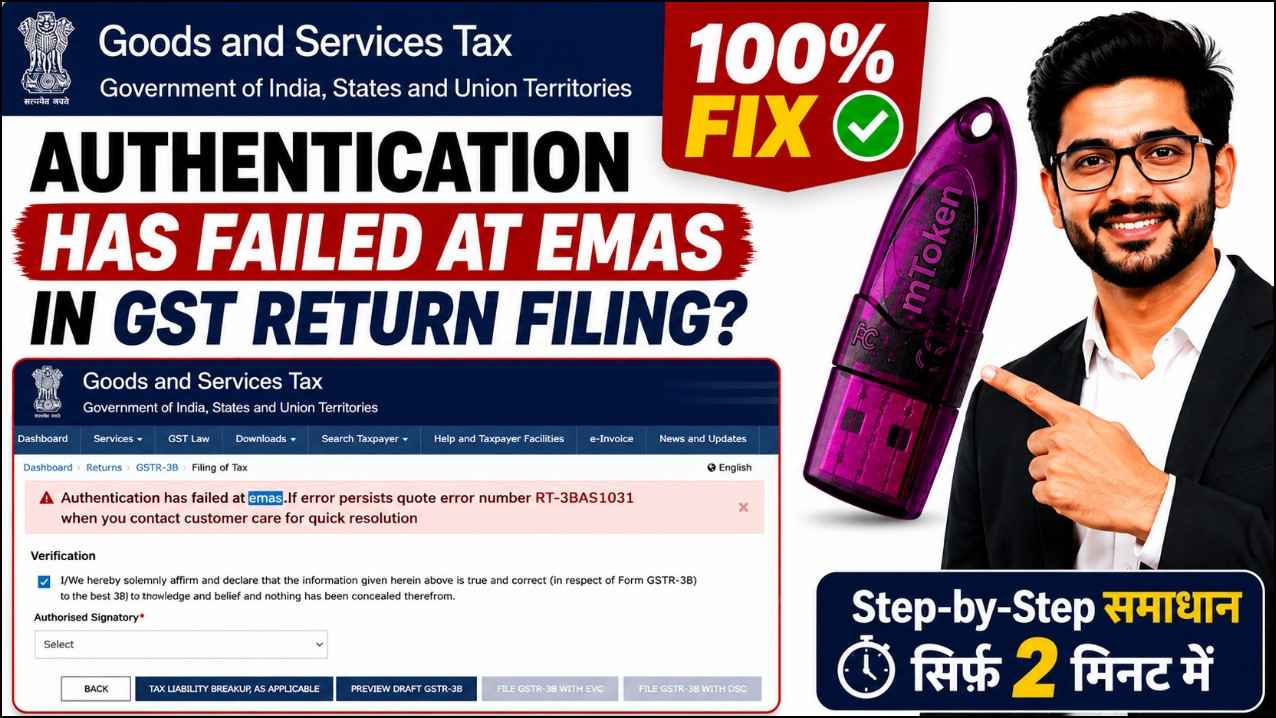
Authentication Has Failed at EMAS in GST Return Filing? Here’s the Working Fix (2026)
If you’re trying to file your GST Return and encounter the error “Authentication Has Failed at EMAS”, don’t worry—you’re not alone. Many taxpayers, Chartered Accountants, GST Practitioners, and business owners face this issue while signing their returns using a Digital Signature Certificate (DSC).
The good news is that this error is usually easy to fix. In most cases, it occurs because the Digital Signature Certificate (DSC) registered on the GST Portal is outdated or not updated correctly.
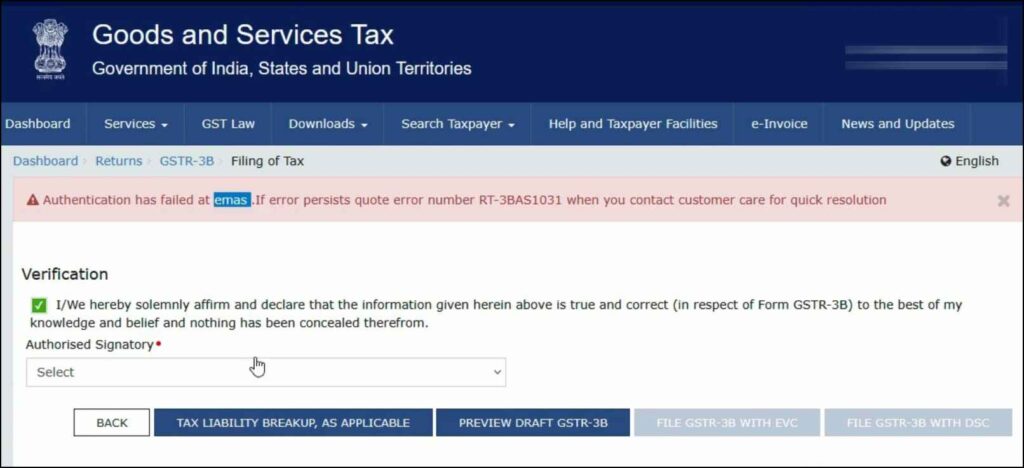
In this guide, we’ll explain why this error occurs, how to fix it step by step, and what you can do to prevent it from happening again.
Table of Contents
- What Does “Authentication Has Failed at EMAS” Mean?
- Why Does This Error Occur?
- How to Fix Authentication Has Failed at EMAS
- Why Updating Your DSC Solves the Problem
- Additional Troubleshooting Steps
- Best Practices to Prevent EMAS Errors
- Frequently Asked Questions
- Conclusion
What Does “Authentication Has Failed at EMAS” Mean?
The Authentication Has Failed at EMAS error appears when the GST Portal cannot verify your Digital Signature Certificate during the GST Return filing process.
As a result, the return signing process fails, and you are unable to complete the filing.
Although the message may seem technical, it usually points to an authentication issue rather than a problem with your GST account.
Why Does This Error Occur?
Based on our experience of providing Digital Signature support for over 11 years, the most common reason behind this error is simple:
Your Digital Signature Certificate is not updated in your GST Portal profile.
Even if:
- Your USB Token is working properly,
- The DSC is valid,
- The certificate is detected by Windows,
- The token driver is installed correctly,
…the GST Portal may still reject the authentication if the latest certificate has not been registered.
This often happens after:
- Renewing your DSC
- Purchasing a new Digital Signature
- Changing your USB Token
- Downloading a fresh certificate
Watch the Complete Video Tutorial
If you prefer a visual walkthrough, we’ve created a step-by-step video tutorial demonstrating the exact process to fix the “Authentication Has Failed at EMAS” error during GST Return Filing.
In this video, you’ll learn how to update your Digital Signature Certificate (DSC) on the GST Portal, understand why the EMAS authentication error occurs, and follow the same working solution used by thousands of GST users.
Whether you’re a business owner, Chartered Accountant, tax consultant, or GST practitioner, this tutorial will help you resolve the issue in just a few minutes.
▶ Watch the complete video below:
What You’ll Learn in This Video
- What causes the Authentication Has Failed at EMAS error
- How to update your DSC on the GST Portal
- Step-by-step GST Return filing process
- Common mistakes that lead to authentication failures
- 100% working solution to resolve the EMAS error quickly
Need Additional Help?
If you’re still facing the Authentication Has Failed at EMAS error after following this guide and watching the video, feel free to contact our team.
📱 WhatsApp Support: https://wa.me/917579984381
Our Digital Signature experts have 11+ years of experience helping businesses, accountants, and professionals resolve GST DSC issues quickly and efficiently.
How to Fix Authentication Has Failed at EMAS
Follow these steps carefully.
Step 1 – Log in to the GST Portal
Open the GST Portal and sign in using your GST credentials.
Step 2 – Open Your Profile
After logging in, click the Profile icon available in the top-right corner of the dashboard.
Step 3 – Click “Register / Update DSC”
From the Profile menu, select Register / Update DSC.
This section allows you to register or update your Digital Signature Certificate.
Step 4 – Update Your Digital Signature
Click the Update button.
If your EMAS service and Digital Signature are working correctly, your certificate name will appear automatically.
Select the certificate and complete the update process.
Step 5 – File Your GST Return Again
Return to the GST Return filing page.
Fill in the required details and proceed with filing the return once again.
In most cases, the Authentication Has Failed at EMAS error disappears immediately after updating the DSC.
Why Updating Your DSC Solves the Problem
Whenever a DSC is renewed or replaced, the GST Portal may still store information related to the previous certificate.
Updating the DSC refreshes the authentication records and allows the EMAS service to verify the correct certificate.
This is why updating the DSC fixes the issue in most situations.
Additional Troubleshooting Steps
If updating the DSC does not solve the problem, check the following:
Verify Your DSC Validity
Ensure that your Digital Signature Certificate has not expired.
Check Your USB Token Driver
Install the latest driver for your USB Token.
Outdated drivers may prevent proper certificate detection.
Restart Your Browser
Close all browser windows after updating the DSC and log in again.
Reconnect the USB Token
Remove the token safely and reconnect it before attempting to file the return again.
Verify Certificate Selection
If multiple certificates are installed on your computer, ensure that you are selecting the correct GST Digital Signature Certificate.
Check EMAS Service
If the EMAS service is not running correctly on your system, authentication may fail even if everything else is configured properly.
Best Practices to Prevent EMAS Authentication Errors
To avoid facing this issue in the future, follow these best practices:
- Always update your DSC immediately after renewal.
- Use the latest USB Token drivers.
- Remove expired certificates from your computer.
- Restart your browser after updating the certificate.
- Test your Digital Signature before filing important GST returns.
- Use supported browsers for GST filing.
- Keep your Digital Signature software updated.
Frequently Asked Questions
Why am I getting “Authentication Has Failed at EMAS”?
The most common reason is that your Digital Signature Certificate is not updated in your GST Portal profile.
Do I need to purchase a new DSC?
No.
If your current Digital Signature Certificate is valid, simply updating it in the GST Portal usually resolves the issue.
Can reinstalling the USB Token driver solve this error?
Only if the system is not detecting your certificate.
If your DSC is already visible, updating it in the GST Portal is generally sufficient.
Does this happen after DSC renewal?
Yes.
Many users experience this issue immediately after renewing their Digital Signature Certificate because the GST Portal is still linked to the old certificate.
Is this issue related to GST Portal downtime?
Usually not.
Most EMAS authentication errors are caused by DSC registration or authentication issues rather than GST Portal server problems.
Will changing the USB Token fix the problem?
Not necessarily.
If your existing token is working correctly, replacing it is generally not required.
Expert Tip
Before reinstalling software or purchasing a new Digital Signature, always check whether your latest DSC has been updated under Profile → Register / Update DSC.
This simple step resolves the majority of EMAS authentication errors.
Conclusion
The Authentication Has Failed at EMAS error during GST Return filing may seem frustrating, but it is usually straightforward to resolve.
In most cases, updating your Digital Signature Certificate through the Register / Update DSC option fixes the problem within a few minutes.
If the issue still persists after updating your DSC, verify your certificate validity, USB Token driver, browser settings, and EMAS service before trying more advanced troubleshooting.
Following the steps in this guide will help you complete your GST Return filing successfully.
Need Help with Your Digital Signature?
If you’re still facing the Authentication Has Failed at EMAS error or any other Digital Signature issue, feel free to contact us.
With 11+ years of experience in Digital Signature Certificates, we have helped thousands of businesses, professionals, Chartered Accountants, Company Secretaries, and organizations successfully resolve DSC-related problems across various government portals.
Whether it’s GST, MCA, DGFT, ICEGATE, eTender, Trademark, Patent, or any other portal, our team is ready to assist you.
About the Author

Samarth
Digital Signature Expert | 11+ Years of Industry Experience
Samarth has been helping individuals, businesses, Chartered Accountants, Company Secretaries, and organizations with Digital Signature Certificates for more than a decade. His practical troubleshooting guides are based on real-world customer support experience and are written to provide clear, accurate, and easy-to-follow solutions for government portal users.

About author







Add comment