

Get Digital Signature for Parivahan Portal / Vahan Portal (Complete 2026 Guide)
Get Digital Signature for Parivahan Portal / Vahan Portal: If you work with vehicle registration, dealership approvals, transport services, or RTO-related tasks, then you already know how important the Parivahan and Vahan portals have become.
But many users face common issues like:
- DSC not detected
- Signer certificate missing
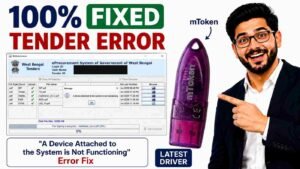
- Token not working
- Portal signing failed
In most cases, the actual problem is simple — using the wrong Digital Signature Certificate (DSC) or incorrect setup.
In this complete guide, you’ll learn:
- Which DSC works on Parivahan Portal
- How to buy it online
- Required documents
- Latest DSC pricing
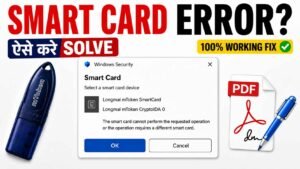
- Common DSC errors and fixes
- Where to buy trusted DSC with support
Everything explained in simple, humanized English based on real experience.
What is a Digital Signature for Parivahan / Vahan Portal?
A Digital Signature Certificate (DSC) is a secure digital identity used to verify and sign documents online.
It helps users:
- Sign transport-related applications
- Authenticate dealership access
- Approve vehicle-related documents
- Access secure government systems
It is commonly used on:
- Parivahan Sewa
- VAHAN
Without a valid DSC, many approval and registration services cannot be completed.
Why DSC is Required for Parivahan Portal
The portal uses DSC authentication for security and verification purposes.
Common uses include:
- Vehicle registration approval
- Dealer login authentication
- Online document signing
- Transport department approvals
- RTO-related operations
Most dealer and organization logins require a valid Class 3 DSC.
Which DSC Works on Parivahan / Vahan Portal?
This is the most common confusion users have.
Only Class 3 DSC works properly for Parivahan and Vahan portals.
Older DSC types are either unsupported or unstable on government systems.
Recommended DSC Configuration
You should choose:
- Class 3 DSC
- Signing Certificate
- USB Token Based DSC
This setup works smoothly for most transport and dealer-related activities.
Real Experience from a Client Case
One automobile dealer contacted us saying:
“Portal login ho raha hai, but sign nahi ho raha.”
After checking the system, we found:
- Old token driver installed
- Expired DSC
- Browser compatibility issue
We installed a fresh Class 3 DSC with proper token setup.
The issue was solved within minutes.
This is why proper configuration matters just as much as purchasing the DSC itself.
Documents Required for Parivahan DSC
The required documents depend on your business type.
Proprietor / Individual
You need:
- Passport size photo
- PAN Card
- Email ID & Mobile Number
- GST Certificate (if available)
Partnership Firm
Required documents:
- Firm PAN Card
- Partnership Deed
- Authorization Letter
- Partner PAN Card
- Email ID & Mobile Number
Company / Dealer Firm
Required documents:
- Company PAN Card
- GST Certificate
- Director PAN Card
- Authorization Letter
- Email ID & Contact Number
Important Document Tips
Before applying, make sure:
- PAN and Aadhaar details match
- Mobile number is Aadhaar linked
- Documents are clear and updated
Incorrect or mismatched documents may lead to rejection.
How to Buy Digital Signature for Parivahan Portal
Buying DSC is actually simple when you follow the correct process.
Step 1: Select DSC Type
Choose:
- Class 3 DSC
- Signing Certificate
This is the standard requirement for Parivahan and Vahan portals.
Step 2: Choose Validity
Available options:
- 2 Years
- 3 Years
If you use the portal regularly, a 3-year validity is more cost-effective.
Step 3: Submit Documents
Upload:
- PAN Card
- Aadhaar Card
- Email ID
- Mobile Number
Step 4: Complete Video Verification
Online KYC includes:
- OTP verification
- Face verification
This usually takes 5–10 minutes.
Step 5: Receive DSC in USB Token
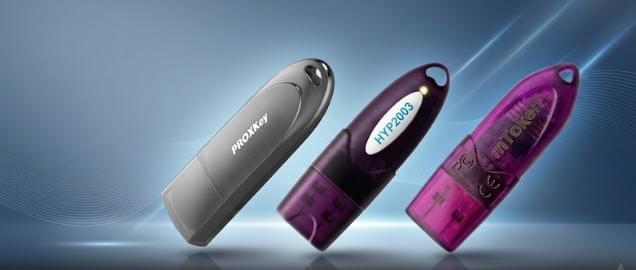
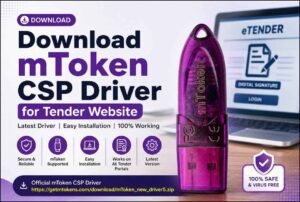
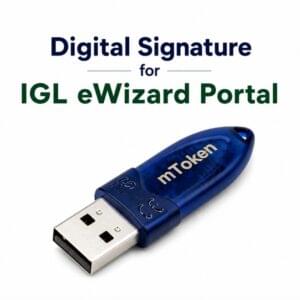
Your DSC is stored securely inside a USB token such as:
- HYP2003
- ProxKey
- Mtoken
USB token is mandatory for government portal security.
Where to Buy DSC for Parivahan Portal
Choosing the correct DSC provider is extremely important.
Many users purchase cheap DSC online and later face:
- Installation problems
- Browser errors
- Token detection issues
- No technical support
Avoid These Mistakes
Avoid:
- Random agents
- Unknown cheap websites
- Sellers without support
Low-cost DSC providers often do not help with installation or troubleshooting.
Trusted Option for DSC
You should always buy DSC from a trusted provider like Digital Signature Spot.
Why users choose us:
- Same-day activation
- Expert installation support
- Genuine USB token
- WhatsApp support
- Fast processing
This becomes especially important when working on government portals regularly.
DSC Price for Parivahan / Vahan Portal (2026)
Here is the latest pricing for Class 3 DSC.
Class 3 DSC Price
- 2 Years Validity – ₹1490
- 3 Years Validity – ₹2000
All prices are inclusive of GST and taxes.
USB Token Charges
- USB Token: ₹550 – ₹600
- Delivery Charges: Minimal or included
Estimated Total Cost
| Validity | Estimated Total |
|---|---|
| 2 Years | ₹1490– ₹1590 |
| 3 Years | ₹2000 – ₹2100 |
Common DSC Errors on Parivahan Portal
Here are the most common issues users face.
DSC Not Detected
Fix:
- Install proper token driver
- Restart browser
- Reconnect token
Signer Certificate Missing
Fix:
- Re-register DSC on portal
- Clear browser cache
Java Error
Fix:
- Update Java version
- Use compatible browser
Token Password Error
Fix:
- Enter correct password
- Avoid multiple wrong attempts
Why Choose Digital Signature Spot?
We don’t just provide DSC — we help users complete the entire setup properly.
What you get:
- Same-day DSC issuance
- Full installation support
- Token setup assistance
- WhatsApp support
- Genuine USB token
We have already helped many dealers, transport operators, and businesses across India.
Frequently Asked Questions
Can I use DSC on multiple systems?
Yes, you can use the same DSC on multiple systems after installing the token driver.
Is USB token compulsory?
Yes, USB token is mandatory for secure government portal usage.
How fast can I get DSC?
Usually within 2–6 hours after verification.
Which browser works best for Parivahan Portal?
Google Chrome and Microsoft Edge work best with proper configuration.
Final Words
If you use the Parivahan or Vahan portal regularly, investing in the correct DSC is essential.
Using the wrong DSC can lead to:
- Signing failure
- Approval delays
- Portal errors
Choosing the correct DSC with proper support saves both time and frustration.
Get Your DSC Now
📞 WhatsApp: 7579984381
✔ Same Day Activation
✔ Full Installation Support
✔ Genuine USB Token
✔ No Hidden Charges
About the Author
Samarth is a Digital Signature expert and founder of Digital Signature Spot.
He has helped hundreds of automobile dealers, transport businesses, and professionals successfully set up DSC for government portals across India.


About author











Add comment