

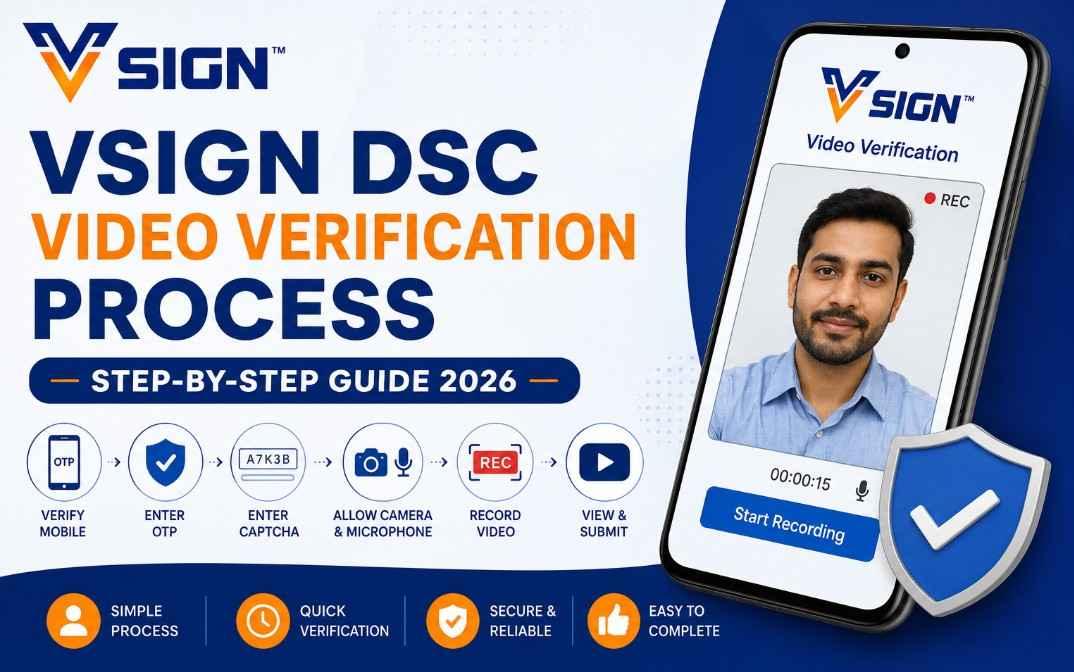
VSign DSC Video Verification Process – How to do Vsign Video Verification- Step-by-Step Guide 2026
VSign DSC Video Verification Process : If you have applied for a VSign Digital Signature Certificate (DSC), you must complete the Video Verification process before your DSC can be issued. The verification process is simple and takes only a few minutes.
In this guide, we will explain the complete VSign DSC Video Verification process step by step.
What is VSign Video Verification?
Video Verification is a mandatory identity verification process required for issuing a Digital Signature Certificate. During this process, the applicant records a short video confirming their identity and DSC application details.
VSign Video Verification Link
Open the following link in your browser:
https://dsc.vsign.in/recordvideo
You can use Google Chrome, Microsoft Edge, or any modern browser on your mobile phone, laptop, or desktop.
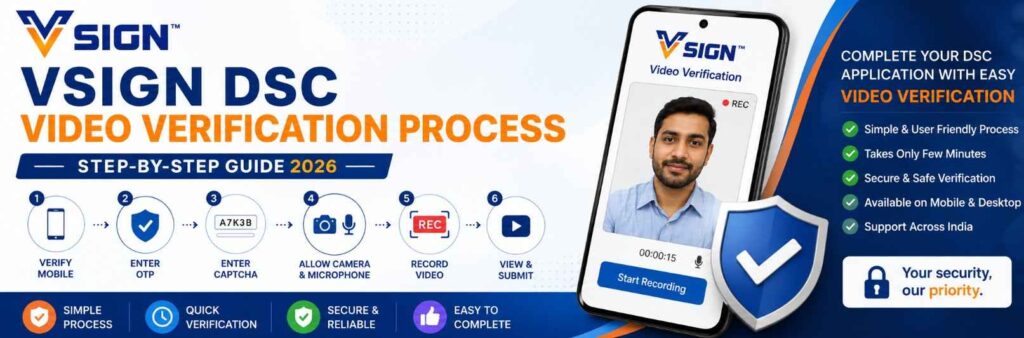
Step-by-Step VSign DSC Video Verification Process
Step 1: Open the Verification Link
Visit the VSign Video Verification portal using the link provided above.
Step 2: Enter Mobile Number
Enter the mobile number registered with your DSC application.
Click on the Generate OTP button.
Step 3: Verify OTP
Enter the OTP received on your mobile number.
Step 4: Enter Captcha
Fill in the captcha code displayed on the screen and click Continue.
Step 5: Allow Camera and Microphone Access
When prompted by your browser, allow access to:
- Camera
- Microphone
Make sure both permissions are enabled before proceeding.
Step 6: Start Recording
Click on the Start Recording button.
Step 7: Read the Verification Script
Clearly read the following statement during recording:
My name is [Your Name]. My Video Verification Code is [Verification Code]. I have applied for a Digital Signature Certificate.
Speak slowly and clearly while looking directly into the camera.
Step 8: Review Your Recording
After recording, click on the View button to check:
- Video quality
- Audio quality
- Face visibility
If everything is clear, proceed to the next step.
Step 9: Submit the Video
Click on the Submit button to complete the verification process.
Your video will be submitted successfully for verification.
Important Tips for Successful Verification
To avoid rejection, follow these guidelines:
Use Good Lighting
Record your video in a well-lit environment.
Keep Your Face Visible
Ensure your full face is clearly visible throughout the recording.
Speak Clearly
Read the script loudly and clearly without interruptions.
Use Stable Internet
A strong internet connection helps avoid upload failures.
Avoid Face Coverings
Do not wear:
- Sunglasses
- Face masks
- Any object covering your face
Common Issues During Video Verification
Camera Not Working
- Refresh the page
- Allow browser permissions
- Restart the browser
Microphone Not Working
- Check microphone permissions
- Connect a working microphone or headset
OTP Not Received
- Wait for a few minutes
- Check mobile network signal
- Request a new OTP
Video Upload Failed
- Ensure a stable internet connection
- Retry the process after refreshing the page
Frequently Asked Questions (FAQ)
Is Video Verification Mandatory for DSC?
Yes. Video verification is mandatory for issuing most Digital Signature Certificates.
Can I Complete Verification on Mobile?
Yes. You can complete the process using a smartphone, laptop, or desktop.
How Long Does Video Verification Take?
The entire process usually takes 2–5 minutes.
What Happens After Video Verification?
Once your video is approved, your DSC application moves to the issuance stage.
Need Help with DSC?
Digital Signature Spot provides assistance for:
- Class 3 DSC
- Tender DSC
- DGFT DSC
- ICEGATE DSC
- Trademark DSC
- Patent DSC
- Organization DSC
- DSC Renewal Services
Contact Digital Signature Spot
📞 WhatsApp / Call: 7579984381
🌐 Website: https://digitalsignaturespot.com
Get expert assistance for DSC issuance, renewal, installation, and technical support across India.
About the Author
Samarth
Founder, Digital Signature Spot
Samarth is a Digital Signature Certificate (DSC) specialist with more than 11 years of hands-on experience in the DSC industry. Over the years, he has assisted thousands of professionals, businesses, contractors, Chartered Accountants (CAs), Company Secretaries (CSs), and organizations in obtaining, renewing, and configuring Digital Signature Certificates.
Through Digital Signature Spot, he provides expert guidance for Class 3 DSC, Tender DSC, DGFT DSC, ICEGATE DSC, Trademark DSC, Patent DSC, MCA DSC, and various government portal registrations. His expertise also includes DSC troubleshooting, USB token management, eTender portal setup, and digital signing solutions.
Samarth regularly publishes practical tutorials, troubleshooting guides, and industry updates to help users understand Digital Signature Certificates and complete verification processes with ease. His content is based on real-world experience gained from resolving thousands of DSC-related cases across India.
Author Credentials
- ✔ 11+ Years of Experience in the DSC Industry
- ✔ Founder of Digital Signature Spot
- ✔ Digital Signature Certificate Consultant
- ✔ Tender & e-Governance Portal Specialist
- ✔ Expert in DSC Issuance, Renewal & Installation
- ✔ Assisted Thousands of DSC Users Across India
- ✔ Technical Support Specialist for Government Portals
- ✔ Regular Contributor to DSC Tutorials & Knowledge Resources
Connect with Samarth
🌐 Website: https://digitalsignaturespot.com
📞 WhatsApp / Call: +91 7579984381
📧 Email: digitalsignaturespot@gmail.com
Disclaimer: The information shared in this article is based on practical industry experience and is intended for educational and informational purposes. Users should always verify portal-specific requirements from the respective authority before submitting applications.


About author













Add comment