

Get Digital Signature for Kerala Tender Website Portal – Complete Guide 2026
Get Digital Signature for Kerala Tender Website Portal – Complete Guide 2026 :If you want to participate in government tenders in Kerala, having a valid Digital Signature Certificate (DSC) is mandatory. The official Kerala eTender portal requires bidders, contractors, suppliers, and companies to use a Class 3 Digital Signature for secure login, bid submission, document signing, and online tender participation.
The official Kerala eTender portal is:
Whether you are applying for PWD tenders, civil contracts, electrical projects, supply tenders, municipality work, irrigation tenders, or government procurement projects in Kerala, this guide will help you understand everything about Kerala Tender DSC registration, requirements, installation, and usage.
What is Kerala eTender Portal?
The Kerala eTender Portal is the official eProcurement platform of the Government of Kerala. It allows departments and government agencies to publish tenders online while enabling bidders to submit bids electronically.
Through this portal, contractors and vendors can:
- Search active tenders
- Download BOQ and tender documents
- Submit bids online
- Upload technical and financial documents
- Pay EMD and tender fees
- Track tender status
- Participate in e-auctions
To ensure security and authenticity, the portal requires bidders to use a Digital Signature Certificate.
Which DSC is Required for Kerala Tender Portal?
The Kerala Tender portal requires a Class 3 Digital Signature Certificate for bidder registration and tender submission.
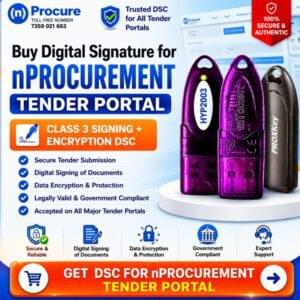
Class 3 Combo DSC (Signing + Encryption)
This DSC includes:
- Signing Certificate
- Encryption Certificate
It is widely used for:
- Government tenders
- eProcurement portals
- PWD tenders
- Railways tenders
- PSU tenders
- State tender portals
- Kerala eTender submissions
The Kerala eTender portal specifically mentions that bidders may require signing and encryption key pairs for secure transactions.
Why is DSC Mandatory for Kerala Tenders?
A Digital Signature works like your electronic identity proof. It ensures:
- Secure login
- Tamper-proof bidding
- Legal authentication
- Secure document submission
- Data encryption
- Authorized access
According to Kerala eTender guidelines, Class 3 DSC is used for secure e-filing and bid submission.
Types of Users Who Need DSC for Kerala Tender
A Class 3 DSC is useful for:
- Contractors
- Builders
- Government suppliers
- Civil contractors
- Electrical contractors
- Consultants
- MSMEs
- Companies
- Proprietorship firms
- Partnership firms
- Infrastructure companies
Documents Required for Kerala Tender DSC
For Individual DSC
- PAN Card
- Aadhaar Card
- Mobile Number
- Email ID
- Passport size photo
- Video verification
For Organization DSC
- PAN Card of organization
- GST certificate
- Authorization letter
- Applicant PAN & Aadhaar
- Company registration proof
Document requirements may vary depending on the Certifying Authority.
How to Get Digital Signature for Kerala Tender Portal
Getting a DSC for Kerala tenders is simple if you follow the correct process.
Step 1 – Choose Class 3 DSC
Select:
- Class 3 Signing DSC
or - Class 3 Combo DSC (Recommended)
Combo DSC is better because many eTender portals require encryption support.
Step 2 – Complete Verification
You need to complete:
- Aadhaar OTP verification
- Video verification
- Document upload
Step 3 – Receive DSC in USB Token
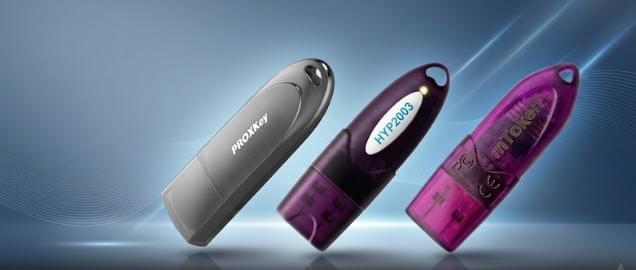
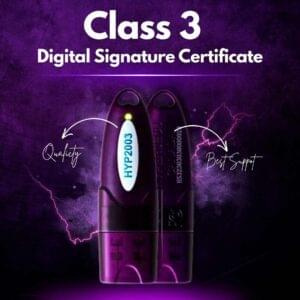
Your Digital Signature is issued inside a secure USB token device.
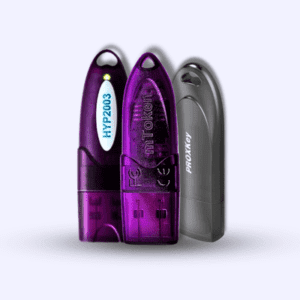
Popular USB tokens include:
- ProxKey
- WatchData
- Hypersecu
Step 4 – Install Token Drivers
Install:
- USB token driver
- DSC utility
- Java components (if required)
Some Kerala tender users may also need browser configuration and Java settings.
Step 5 – Register DSC on Kerala Tender Portal
Login to the Kerala eTender portal and register your DSC.
General process:
- Insert USB token
- Login to portal
- Open DSC registration section
- Select certificate
- Validate DSC
- Complete enrollment
The Kerala portal mentions that bidders must complete digital signature enrollment after online registration.
How to Register DSC on Kerala Tender Website
1. Visit Official Portal
Visit the Kerala eTender website.
2. Click “Online Bidder Enrollment”
Create your bidder account.
3. Login Using User ID & Password
After registration, login to your dashboard.
4. Insert DSC Token
Connect your USB token to your computer.
5. Install Required Utility
The portal may require:
- Java utility
- DSC signer utility
- Browser extension
6. Select Digital Signature
Choose your certificate from the token.
7. Complete DSC Enrollment
After successful validation, your DSC becomes linked with your account.
Common Errors While Using DSC on Kerala Tender Portal
Many users face technical issues during DSC registration or bid submission.
DSC Not Detected
Possible reasons:
- Driver missing
- Token not installed
- Browser issue
Solution
- Install token driver
- Restart browser
- Reinsert USB token
Java Security Error
Kerala eTender portal sometimes requires proper Java configuration.
Solution
- Install latest Java
- Add portal to Java exception list
- Clear browser cache
“No Certificate Found” Error
Solution
- Check token connection
- Install middleware
- Use supported browser
Signature Verification Failed
Solution
- Renew expired DSC
- Check validity
- Update drivers
Supported Browsers for Kerala Tender Portal
Usually supported browsers include:
- Google Chrome
- Microsoft Edge
- Firefox
- Brave
- Opera
Benefits of Using Class 3 DSC for Kerala Tenders
High Security
Protects tender data and bidder identity.
Legally Valid
Recognized under Indian IT Act.
Fast Online Submission
No physical paperwork required.
Multi Portal Usage
The same DSC can often be used on:
- CPPP
- GeM
- Railways
- State tender portals
- PSU portals
- Kerala eTender
Validity of Kerala Tender DSC
Digital Signatures are generally available for:
- 1 Year
- 2 Years
- 3 Years
Renewal is required after expiry.
The Kerala portal states DSC validity may vary depending on issuance duration.
How Much Time Does DSC Issuance Take?
Normally:
- Instant to 2 hours for Aadhaar-based process
- Sometimes up to 1 day depending on verification
Official Kerala portal information indicates issuance may take several days depending on Certifying Authority procedures.
Can One DSC Be Used on Multiple Tender Portals?
Yes.
A single Class 3 DSC can usually work on:
- Kerala Tender portal
- GeM
- CPPP
- Railways
- State eProcurement portals
- Municipal tender portals
As long as the DSC is valid and properly registered.
Important Tips Before Tender Submission
Before submitting bids:
- Keep DSC token ready
- Install drivers properly
- Check Java settings
- Verify DSC validity
- Upload documents in correct format
- Submit bids before deadline
Many Kerala tenders require uploading BOQ, registration certificates, GST certificates, PAN, and technical documents.
Why Choose Combo DSC for Kerala eTender?
A Combo DSC includes:
- Signing Certificate
- Encryption Certificate
Advantages of Combo DSC
- Better compatibility
- Secure document encryption
- Required on many eProcurement portals
- Single token solution
This is why most tender professionals prefer Combo DSC for government bidding.
Kerala Tender Portal Registration Process
The complete process is:
- Create bidder account
- Obtain Class 3 DSC
- Register DSC
- Search tender
- Download documents
- Upload technical bid
- Upload financial bid
- Submit final bid online
The official portal provides bidder manuals and tutorials for registration and bid submission.
Final Thoughts
If you want to participate in government tenders in Kerala, obtaining a valid Class 3 Digital Signature Certificate is the first and most important step. Without DSC enrollment, you cannot submit bids on the Kerala eTender portal.
A Class 3 Combo DSC provides secure authentication, encrypted communication, and legally valid digital signing for all your tender activities.
Whether you are a contractor, supplier, consultant, or company owner, getting your Kerala Tender DSC ready in advance helps avoid last-minute technical issues and ensures smooth participation in eProcurement bidding.
For fast and hassle-free Kerala Tender DSC registration, always choose a trusted DSC provider and ensure proper installation of token drivers and utilities before tender submission.
Frequently Asked Questions (FAQs)
Is DSC mandatory for Kerala Tender Portal?
Yes, a valid Class 3 DSC is mandatory for bidder enrollment and online bid submission.
Which DSC is best for Kerala tenders?
Class 3 Combo DSC (Signing + Encryption) is recommended.
Can I use the same DSC for GeM and Kerala Tender?
Yes, the same DSC can generally be used across multiple government portals.
Which USB token is supported?
Most standard USB tokens like ProxKey, WatchData, and Hypersecu are supported.
What is the official Kerala eTender website?
Official Kerala eTender Portal:
https://etenders.kerala.gov.in/
Does Kerala Tender Portal require Java?
Some functions and DSC utilities may require Java configuration.
About the Author

Samarth is a Digital Signature and eTendering expert helping businesses, contractors, and professionals get Class 3 DSCs for government portals including Kerala eTender, GeM, MCA, GST, ICEGATE, and other eProcurement platforms through Digital Signature Spot.

About author






Add comment