

Get Digital Signature for Punjab Tender Website (Complete 2026 Guide)
Get Digital Signature for Punjab Tender Website (Complete 2026 Guide)
Get Digital Signature for Punjab Tender Website: If you’re planning to apply for government tenders in Punjab through the state’s e-Procurement portal, there’s one critical component you simply cannot skip—a valid Class 3 Digital Signature Certificate (DSC).
Every single day, I get panicked messages from contractors and business owners that sound exactly like this:
👉 “Sir, tender submit nahi ho raha… portal par DSC error aa raha hai. Deadline aaj shaam ki hai!”
And honestly, after more than 10 years in the Digital Signature Certificate industry, I can tell you that 90% of the time, the problem isn’t the government portal crashing.
👉 The problem is using the wrong DSC, an outdated USB token, or an incorrect system setup.
In this massive, step-by-step 2026 guide, I’ll explain everything in a simple, practical way based on real, on-the-ground experience. Whether you are bidding for PWD, Municipal Corporation, or Irrigation Department tenders in Punjab, this guide will ensure you buy the right DSC, avoid technical rejection errors, and submit your bid without the last-minute stress.
1. What Exactly is a Digital Signature for Punjab Tender?
A Digital Signature Certificate (DSC) is your secure, legally recognized digital identity in the online world. Under the Information Technology Act of 2000, a DSC holds the exact same legal weight as your physical, handwritten signature.
When participating in e-tendering on the Punjab eProcurement System (eproc.punjab.gov.in), your DSC is actively used to:
- Sign tender documents online: Binding you legally to the terms of your bid.
- Authenticate your identity: Proving to the Punjab government that you are exactly who you claim to be.
- Encrypt your bid submission: Protecting your confidential BOQ (Bill of Quantities) and pricing details from competitors and portal administrators until the official tender opening date.
👉 Bottom Line: Without a valid, properly configured DSC, you absolutely cannot submit any government tender in Punjab.

2. Why Only the “Class 3 Combo” DSC Works for Punjab Tenders
Let’s clear up the biggest market confusion right now. If an agent tries to sell you a “Class 2” DSC, walk away immediately.
👉 Only a Class 3 DSC is valid for all e-tendering portals in India today. The Controller of Certifying Authorities (CCA) officially discontinued the issuance of Class 2 DSCs years ago.
Understanding “Combo” (Signing + Encryption)
For Punjab tenders, a simple “Signing” DSC is not enough. You specifically need a Class 3 Combo DSC.
- Signing Certificate: Used to digitally sign your technical bid documents and verify your identity during portal login.
- Encryption Certificate: Used to lock and secure your financial bid (BOQ). If you do not have the encryption certificate, the portal will throw an error when you try to upload your pricing.
The Power of a Class 3 Combo DSC:
✔ Successfully upload and lock BOQ files.
✔ Access the secure bidding system of eproc.punjab.gov.in.
✔ Prevent your data from being intercepted.
✔ Avoid automatic rejection errors during the final submission stage.
3. Real-World Case Study: Why Setup Matters
Just last month, a civil contractor from Ludhiana contacted me in a panic:
“Sab kuch ready hai, documents upload ho gaye hain, but final sign nahi ho raha… system hang ho raha hai.”
After jumping on an AnyDesk session with him, we diagnosed the real issues in minutes:
- Wrong Hardware: He was using an outdated token that wasn’t compatible with Windows 11.
- Missing Drivers: The proper USB token driver was never installed on his laptop.
- Java Issues: His system had an outdated version of Java, which blocked the Punjab portal’s signing applet.
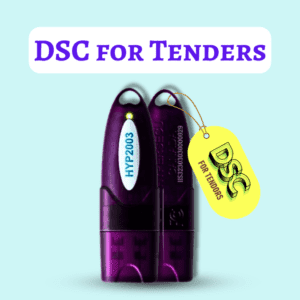
We immediately issued a fresh Class 3 Combo DSC, loaded it onto a high-security HYP2003 USB token, installed the correct drivers, and configured his Java settings.
👉 Result: His tender was successfully submitted within 10 minutes of setup.
The Golden Lesson: Buying a DSC is the easy part. Proper technical configuration is everything.
Digital Signature for DPIIT Registration (Startup India): The Complete 2026 Guide
4. Approved USB Tokens for Your DSC
Your digital signature is not a simple file you download to your desktop. For high-security e-tendering, it must be legally downloaded into a FIPS-certified cryptographic USB token.
These tokens act like a digital vault. You cannot copy or steal the certificate out of the token, making it incredibly secure. When you buy from a trusted provider, ensure you are getting one of the following industry-standard tokens:
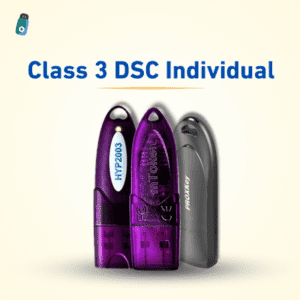
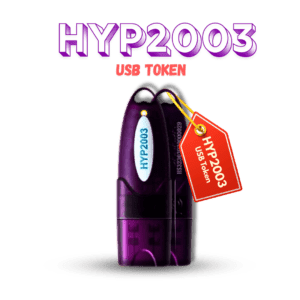
- HYP2003 (Highly Recommended): Fast, durable, and highly compatible with Windows 10/11 and modern e-procurement portals.
- WatchData ProxKey: A massive staple in the industry with excellent plug-and-play driver support.
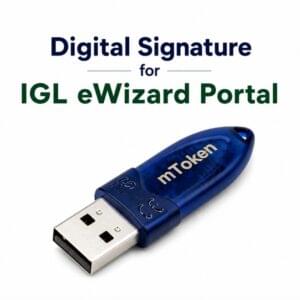
- mToken: Very reliable for heavy tender submissions.
- ePass2003: The classic standard, still widely used and supported across all government platforms like GST, MCA, and ICEGATE.
5. Complete Document Checklist for Punjab Tender DSC (By Organization Type)
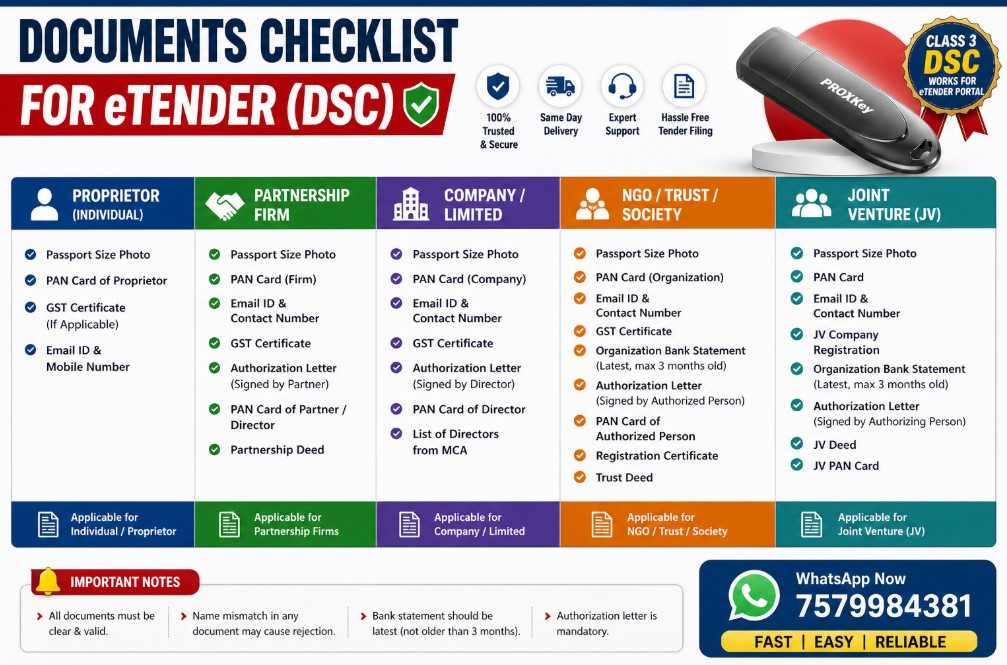
Your DSC application must match your exact business structure. Any mismatch between your portal registration and your DSC will result in an immediate technical rejection.
👤 Proprietorship (Individual Business)
- Applicant’s Passport Size Photo
- Applicant’s PAN Card
- Applicant’s Aadhaar Card (for eKYC)
- GST Certificate (Highly recommended to map your business name)
- Active Email ID & Mobile Number
🤝 Partnership Firm
- Applicant’s Photo and PAN Card
- Firm’s PAN Card
- GST Certificate of the Firm
- Partnership Deed (First 2 pages and last page with signatures)
- Authorization Letter (Signed by other partners authorizing the applicant)
- Active Email & Contact Details
🏢 Private Limited / Public Limited Company
- Applicant (Director/Authorized Signatory) Photo & PAN Card
- Company PAN Card
- Company GST Certificate
- Certificate of Incorporation (CIN)
- Board Resolution / Authorization Letter on Company Letterhead
- List of Directors (from MCA portal)
🏛 NGO / Trust / Society
- Applicant Photo & PAN
- Trust/Society PAN Card
- Trust Deed / Registration Certificate
- Latest Bank Statement (Attested)
- Authorization Letter on Letterhead
- GST Certificate (If applicable)
⚠️ Pro-Tips to Avoid Rejection
- Name Mismatch: The name on your PAN MUST exactly match the name you enter in your application. ❌
- Blurry Documents: Scanning documents with poor lighting will lead to immediate KYC rejection. ❌
- Missing Signatures: Ensure authorization letters are physically signed and stamped before scanning. ❌
6. Step-by-Step: How to Buy Your DSC Online
We have modernized the DSC issuance process. You no longer need to courier physical documents. Here is the 100% paperless process:
Step 1: Choose the Correct Category
Ensure you select the Class 3 Combo (Signing + Encryption). Specify if it is for an Individual or an Organization.
Step 2: Select the Validity Period (1, 2, or 3 Years)
👉 Expert Recommendation: Always choose the 3-Year Validity. Government tendering is a long game. A 3-year certificate saves you from the headache of re-doing the KYC process every year, and it is vastly more cost-effective.
Step 3: Paperless e-KYC
Upload your PAN and Aadhaar details through our secure portal. The system instantly verifies your data against government databases.
Step 4: Video Verification (5 Minutes)
You will receive a link on your mobile phone. Simply click it, read the 3-line statement appearing on the screen into your camera, and submit. This proves you are a living, breathing person requesting the signature.
Step 5: Ready to Dispatch
Once approved, we download your certificates securely into a brand new HYP2003 or ProxKey USB Token and express ship it directly to your office or home in Punjab.
7. How to Map Your DSC on the Punjab eProcurement Portal
Once you receive your USB token, you cannot just plug it in and start bidding. You must “map” it to the portal.
- Install the Driver: Plug the USB token into your laptop. Open “My Computer”, right-click on the CD drive icon representing the token, and install the setup file.
- Login to eProcurement: Go to
eproc.punjab.gov.inand log in with your User ID and Password. - Click on ‘Signing Certificate’: In your dashboard, find the option to map or enroll your DSC.
- Select Your Name: A pop-up box will appear showing your name (reading it from the USB token). Click it and enter your Token PIN (usually 12345678 or 1234).
- Repeat for Encryption: Map the encryption certificate in the same manner.
8. Ultimate Troubleshooting Guide (Fixing Common Punjab Portal Errors)
Over the last decade, I have seen every error message the Punjab portal can throw. Here is how to fix the top three:
❌ Error: “DSC Not Detected” or “No Certificate Found”
✔ The Fix: This means the browser cannot talk to your token. Ensure your USB token driver (like ProxKey or ePass2003) is successfully installed. Check if the token light is glowing. Restart your browser.
❌ Error: “Java Applet Blocked” or “Application Blocked by Security”
✔ The Fix: The Punjab eProcurement portal relies heavily on Java.
- Open the “Configure Java” app on your computer.
- Go to the “Security” tab.
- Click “Edit Site List” and add
[https://eproc.punjab.gov.in](https://eproc.punjab.gov.in)to the exception list. - Apply and restart the browser.
❌ Error: “Signer Certificate Missing” during BOQ Upload
✔ The Fix: You bought a “Signing Only” DSC instead of a “Combo” DSC. You are missing the encryption file required to lock the BOQ. You must upgrade your DSC immediately.
9. Updated 2026 DSC Pricing for Punjab Tenders
Transparency is critical in this business. Avoid agents who hide fees or charge exorbitant amounts for “setup.” Here is the standard, honest pricing you should expect:
| DSC Validity & Type | Certificate Cost (Incl. GST) | USB Token (HYP2003/ProxKey) | Total Estimated Cost |
| 2 Years (Class 3 Combo) | ₹1780 | ₹550 | ₹2330 |
| 3 Years (Class 3 Combo) | ₹2670 | ₹550 | ₹3220 |
Note: Delivery charges may be minimal or included depending on your location.
💡 Pro Tip: Look at the math. For just ₹890 more, you secure your bidding capabilities for an entire extra year, saving you the cost of a new token and the hassle of repetitive paperwork.
10. Why Choose Digital Signature Spot?

We don’t just print certificates and forget about you. We are technical partners for your business.
- 10+ Years of Industry Expertise: We understand the exact technical demands of state and central portals, from MahaTender to Punjab eProcurement, GST, and MCA.
- Same-Day Activation: If your tender deadline is tomorrow, we will ensure your KYC is processed and your certificate is ready to download today.
- Elite Technical Support: We provide complete AnyDesk installation support. We don’t just mail you a token; we ensure your Java and browser settings are perfectly aligned for the Punjab portal.
- No Hidden Charges: What you see in our pricing table is exactly what you pay.
👉 We have proudly assisted over 1,000+ contractors, CA firms, and corporate entities in successfully securing government tenders without technical failures.
Frequently Asked Questions (FAQs)
Q: Can I use this same DSC for other state tenders or central government portals?
A: Yes, absolutely. A Class 3 Combo DSC is universal. You can use it on the Punjab portal, MahaTender, central e-Procurement (CPP Portal), Indian Railways (IREPS), and even for filing your GST or MCA returns.
Q: Is the physical USB token compulsory?
A: Yes. Under the CCA guidelines, downloading a DSC directly to a computer hard drive is strictly prohibited. It must reside in a secure cryptographic token.
Q: I lost my USB token. Can I get a duplicate DSC?
A: For security reasons, certificates cannot be duplicated or backed up. If you lose your physical token, the certificate is considered compromised. You will need to purchase a new token and undergo the issuance process again.
Q: How fast can I get my DSC if my tender is due tomorrow?
A: The paperless KYC process takes 5-10 minutes. Approval usually happens within 1-2 hours during business hours. Once approved, the certificate is ready to be downloaded immediately.
Final Words of Advice
When it comes to government contracts, the stakes are too high to risk rejection over a cheap, unsupported digital signature. If your DSC is wrong, or your system isn’t configured correctly, your tender is rejected—it really is that simple.
👉 Don’t take the risk.
👉 Choose the correct DSC, backed by expert technical support.
📞 Get Your DSC Processed Right Now:
- WhatsApp / Call: 7579984381
- Service Guarantee: Same Day Issuance | Full Setup Support | Zero Hidden Fees
About the Author
Samarth is a cryptographic hardware expert, the founder of Digital Signature Spot, and operates Pandey Infotech. With over 10 years of specialized experience in the Digital Signature Certificate industry, he has guided hundreds of contractors, startups, and established enterprises through the complex compliance processes of government portals like e-Procurement, GST, ICEGATE, and Startup India (NSWS).


About author












Add comment