

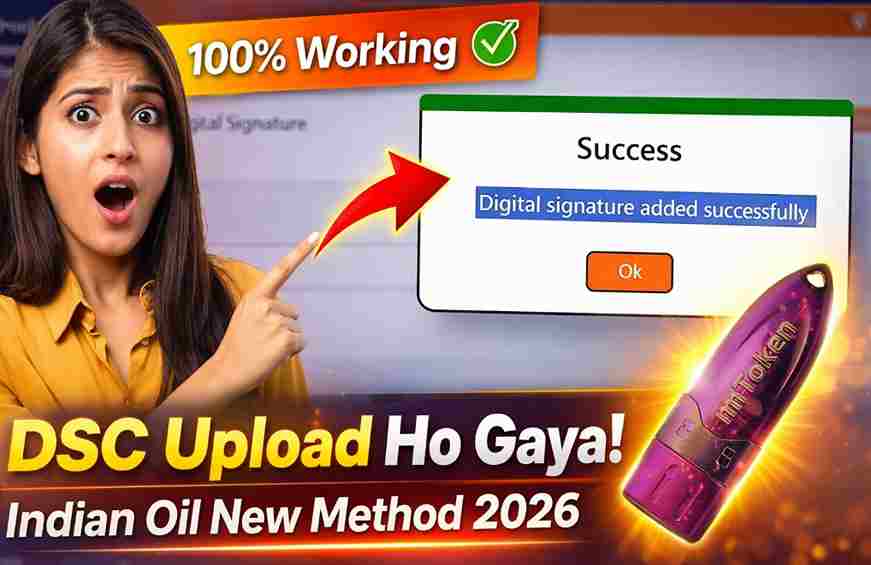
New DSC Upload on Indian Oil Portal , Easy Trick (No Technical Skills Needed)
Introduction
DSC Upload on Indian Oil Portal: If you are working on the Indian Oil (IOCL) portal for vendor registration, tender submission, or compliance work, uploading your Digital Signature Certificate (DSC) is a mandatory step.
Many users face issues while updating or mapping a new DSC in their profile. In this detailed EEAT-optimized guide, you will learn the exact step-by-step process to upload your DSC on the Indian Oil website without errors.
What is a DSC and Why is it Required?
A Digital Signature Certificate (DSC) is a secure digital key used to verify your identity online. It ensures that your documents and transactions are legally valid and tamper-proof.
Why DSC is Required on Indian Oil Portal:
- Tender filing and bidding
- Vendor registration
- Document authentication
- Secure approvals and submissions
If DSC is not properly uploaded:
- You may get “DSC not registered” errors
- Signing options may not work
- Submissions can fail or get rejected
Prerequisites Before Uploading DSC
Before starting the process, make sure you have:
✔ Valid Class 3 DSC
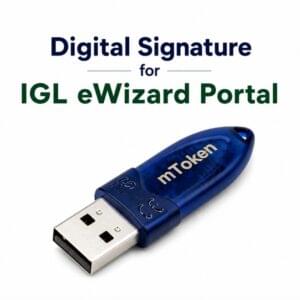
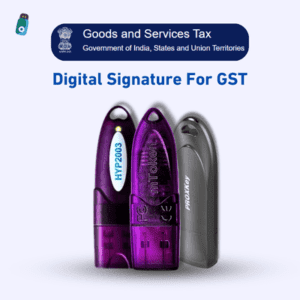
✔ USB Token (mToken / HYP2003 / ProxKey)
✔ Token driver installed properly
✔ Updated browser (Chrome / Edge recommended)
✔ Java or emSigner (if required by portal)
🎥 Video Tutorial: Upload DSC on Indian Oil Website (Step-by-Step)
If you prefer a visual step-by-step explanation, watch the complete video tutorial below. In this video, we demonstrate the exact process to upload your Digital Signature Certificate (DSC) on the Indian Oil (IOCL) portal, including USB token setup, certificate export, and successful mapping.
📌 What You’ll Learn in This Video:
- How to open USB token (mToken / HYP2003 / ProxKey)
- How to login using token password
- How to select and export DSC certificate (.cer file)
- How to upload public key on Indian Oil website
- How to fix common DSC errors
This tutorial is especially useful for beginners who are facing issues like DSC not uploading, token not detected, or signature mapping errors.
👉 Watch the full video to avoid mistakes and complete the process successfully.
💡 Pro Tip:
While following the video, perform the steps side-by-side on your system to ensure everything is done correctly without errors.
If you still face any issues after watching the video, feel free to contact us for quick support.
📞 Call / WhatsApp: 7579984381
Step-by-Step Process to Upload DSC on Indian Oil Website
Step 1: Open USB Token Driver
First, insert your USB token and open its driver software:
- mToken users → Open CryptoID driver
- HYP2003 / ProxKey users → Open respective token manager
👉 Click on “User”
👉 Enter your USB token password
Step 2: Select Your DSC
After login:
- You will see your DSC listed
- Click once on your DSC name
- It will get highlighted (sky blue)
This confirms your certificate is active.
Step 3: Export Certificate
Now follow this important step:
👉 Click on “Export Certificate”
👉 Save the file on your system
👉 Choose any location (e.g., Downloads folder)
💡 Tip: Save file with a simple name like dsc.cer
Step 4: Upload DSC on Indian Oil Portal
Now login to the Indian Oil website:
👉 Go to Profile / Digital Signature section
👉 Click on “Upload Public Key”
👉 Upload the same file you exported
Once uploaded:
✅ Your DSC will be successfully mapped to your profile
Common Errors and Solutions
❌ DSC Not Detected
✔ Check token connection
✔ Reinstall driver
❌ Incorrect Password
✔ Re-enter correct token password
✔ Disable Caps Lock
❌ Upload Failed
✔ Ensure correct .cer file is uploaded
✔ Try re-exporting the certificate
❌ DSC Not Registered Error
✔ Re-upload certificate
✔ Try using a different browser
Expert Tips (EEAT Insight)
- Always use the latest token drivers
- Never share your private key
- Keep checking your DSC validity/expiry
- Use the same system and browser for consistency
- Restart system if token is not detected
Video Tutorial Section
For better understanding, you can also watch a complete step-by-step video tutorial where the full process is demonstrated—from USB token login to DSC upload on the Indian Oil portal.
Frequently Asked Questions (FAQ)
Q1. Do I need to upload DSC again after renewal?
Yes, every time you renew or purchase a new DSC, you must update it on the portal.
Q2. Can I upload DSC using mobile?
No, DSC requires a USB token, so it can only be done on a desktop or laptop.
Q3. Which file should I upload?
You must upload the exported public key file (.cer format).
Q4. Is the process different for HYP2003 token?
No, the process is almost the same for mToken, HYP2003, and ProxKey.
Conclusion
Uploading a DSC on the Indian Oil website is simple if you follow the correct steps:
Login to token → Export certificate → Upload public key
By following this guide, you can easily avoid common errors and successfully map your DSC without any technical issues.
Need Help with DSC?
If you need help with DSC purchase, renewal, installation, or error fixing:
📞 Call / WhatsApp: 7579984381
💼 Services: DSC Registration | Renewal | Error Support
About the Author
Samarth is a digital solutions expert specializing in Digital Signature Certificates (DSC), eTendering, and government portal processes. He helps users solve technical issues with easy, practical, and real-world guidance.


About author











Add comment