


Get Digital Signature for GeM Tenders: Requirements, Registration, and Bidding Excellence (2026)
Get Digital Signature for GeM Tenders: Requirements, Registration, and Bidding Excellence (2026): In the rapidly evolving landscape of Indian public procurement, the Government e-Marketplace (GeM) has emerged as the cornerstone of the “Digital India” initiative. As of 2026, GeM handles an annual procurement value exceeding ₹4 Lakh Crore, making it an indispensable platform for MSMEs, Startups, and OEMs.
However, entering this massive marketplace requires more than just a product catalog. It requires a secure, legally-binding digital identity. To participate in high-value GeM Tenders, Reverse Auctions (RA), and e-Biddings, a Class 3 Digital Signature Certificate (DSC) is not just a recommendation—it is a mandatory technical requirement.

In this exhaustive guide, we explore everything from technical specifications to the step-by-step registration of your DSC on GeM.
1. Understanding the Legal & Technical Necessity of DSC on GeM
Before diving into the “how-to,” it is vital to understand the “why.” Under the Information Technology Act, 2000, a digital signature is the electronic equivalent of a physical signature.
Why the GeM Portal Mandates Class 3 DSC:
- Authentication: It verifies that the bidder is the genuine authorized representative of the registered company, preventing proxy bidding and fraud.
- Non-Repudiation: Once a bid is signed with a DSC and submitted, the bidder cannot later deny having made that bid. This ensures the integrity of the tendering process.
- Data Integrity (Encryption): GeM tenders involve sensitive financial information (the BOQ or Bill of Quantities). The encryption component of the DSC “locks” your price bid so that it remains invisible to everyone—including the buyer—until the official bid-opening time.
2. Which DSC is Required for GeM Tenders? (The “Combo” Rule)
The GeM portal has strictly defined the class and type of certificates allowed for various user roles.
Class 3 Organizational (Signing + Encryption)
For almost all commercial activities on GeM, you must have a Class 3 Organizational DSC.
- Signing Component: Used for daily tasks like updating catalogs, generating invoices, and signing technical bid documents.
- Encryption Component: Mandatory for submitting financial quotes in Tenders and participating in Reverse Auctions.
Role-Based Requirements:
- Primary User (The HOD/Proprietor): Needs a DSC to verify the organization and create secondary users.
- Secondary User (The Bidding Manager): Needs a DSC to actively participate in bids, upload documents, and sign contracts.
Pro Tip from Smarth: Avoid buying “Signing Only” certificates. Many vendors realize mid-way through a tender submission that they cannot “Encrypt” their financial bid, leading to missed deadlines. Always purchase the Class 3 Org Combo.
3. Step-by-Step: How to Register (Map) Your Digital Signature in the GeM Portal
The “Mapping” process on GeM is unique compared to other government portals like GST or Income Tax. GeM utilizes a specialized Web Socket Utility. Follow these steps for a flawless setup:
Step 1: Hardware & Software Preparation
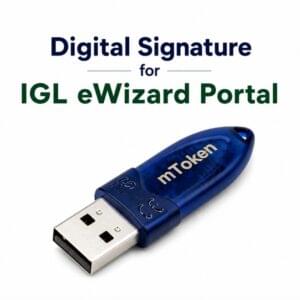
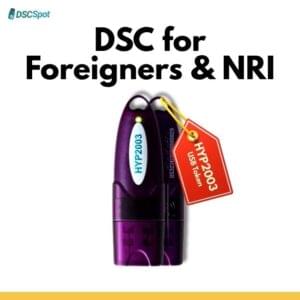
- Insert the USB Token: Plug your FIPS-certified token (e.g., ProxKey, mToken, or HYP2003) into your USB port.
- Install Token Drivers: Go to ‘This PC’, open the token drive, and install the driver setup.
- The “GeM Utility” Factor: Navigate to the bottom of the GeM homepage under the “Resources” section and download the GeM Web Socket Utility.
Step 2: System Configuration
- Run as Admin: Locate the downloaded GeM Utility, right-click, and select “Run as Administrator.”
- Java Settings: Ensure your PC has the latest 32-bit Java version. Add
[https://gem.gov.in](https://gem.gov.in)to the Exception Site List in your Java Control Panel.
Step 3: Mapping the DSC to your Profile
- Login: Access your GeM Seller account.
- Profile Dashboard: Click on your name (top right) → My Account.
- The DSC Tab: On the left sidebar, click on “Digital Signature Certificate.”
- Register DSC: Click the ‘Register’ button. The portal will automatically detect your certificate through the Web Socket Utility.
- Verify & PIN: Select your certificate from the pop-up, enter your Token PIN, and click ‘Submit’.
4. Winning with GeM Tenders: The Role of DSC in Bidding & Reverse Auctions (RA)
Participation in a GeM tender is a two-stage process: Technical Evaluation and Financial Opening.
The Technical Bid
During the technical stage, you upload certificates (ISO, BIS, MSME), past experience documents, and compliance sheets. Each of these must be digitally signed. This tells the buyer that the documents are authentic and have been verified by the company.
The Financial Bid & Reverse Auction
This is where the Encryption part of your DSC comes into play.
- Bid to RA: In many cases, GeM converts a standard bid into a Reverse Auction (RA) where L1 (the lowest bidder) is decided through live competitive bidding.
- The Live Drop: During an RA, prices drop in real-time. Each new, lower quote you submit must be signed and encrypted within seconds using your USB token.
5. Documentation Checklist for GeM DSC (2026 Compliance)
To ensure your application isn’t rejected by the Certifying Authority (CA), keep these ready:
| User Category | Required Documents |
| Sole Proprietor | PAN Card, Aadhaar, GST Certificate / Udyam Registration. |
| Partnership Firm | Partnership Deed, Firm PAN, Authorized Partner’s ID, Authorization Letter. |
| Private Limited | Certificate of Incorporation, Board Resolution, Director’s PAN/Aadhaar. |
6. Troubleshooting: Common GeM DSC Errors & Expert Solutions
Based on over a decade of technical support experience, here are the most frequent hurdles:
- Error: “Could not establish connection to GeM Web Socket”
- Solution: Check your system tray. If the GeM Utility icon is red or missing, restart it as Administrator. Ensure your Firewall isn’t blocking Port 1645.
- Error: “Certificate Not Found”
- Solution: Check if the token is properly inserted. Sometimes, using a different USB port (preferably a USB 2.0 port instead of 3.0) fixes the detection issue.
- Error: “Encryption Certificate Missing”
- Solution: This happens if you bought a “Signing Only” DSC. You must contact your provider (like Digital Signature Spot) to upgrade your certificate to a Combo.
7. Pricing Transparency for GeM DSC
Inclusive of Token, GST, and Expert Technical Support.
- Class 3 Org Combo (1 Year): ₹1,780
- Class 3 Org Combo (2 Years): ₹2,800
- Class 3 Org Combo (3 Years): ₹3,800 (Recommended for 2026-2029 bidding cycles)
8. High-Search FAQs: What GeM Sellers Frequently Ask
Q: Can I use my personal DSC (Individual) for my company’s GeM account? A: No. If you are bidding as a business entity, GeM requires an Organizational DSC where the certificate contains both your name and the company’s name. Individual DSCs are only for personal tax filing or bidding as a freelancer.
Q: Does GeM support Apple Mac for DSC mapping? A: While GeM is improving its interface, the Web Socket Utility is most stable on Windows 10/11. We strongly recommend using a Windows PC for the initial mapping and high-stakes bidding sessions.
Q: What is the “Caution Money” on GeM and do I need a DSC for it? A: Caution money is a deposit required based on your turnover. While you pay this via Net Banking/UPI, the final “Self-Declaration” and agreement often require a DSC signature to complete the seller profile.
Q: How long does it take to get a GeM DSC? A: At Digital Signature Spot, we use Aadhaar-based Paperless KYC. Once you record your 20-second video and verify your OTP, the DSC is issued in 30 minutes.
🔐 Why Partner with Digital Signature Spot?
In the world of government tenders, a delay of five minutes can mean the difference between winning a contract and being “Technically Disqualified.”
- Real-Time Support: We don’t just sell tokens; we help you map them on GeM via AnyDesk/TeamViewer.
- Compliance Experts: We ensure your DSC is issued under the latest CCA 2026 guidelines.
- Reliability: We provide only high-grade, FIPS-certified hardware tokens with a low failure rate.
📞 Contact our GeM Expert Team Today
WhatsApp/Call: 7579984381 Email: digitalsignaturespot@gmail.com
✍️ About the Author: Expert Insight by Smarth
This guide was authored by Smarth, a leading voice in India’s digital credentialing industry with over 10 years of professional experience.
As the founder of Digital Signature Spot, Smarth has spent a decade bridging the gap between complex government technology and the end-user. He has personally assisted thousands of vendors in navigating the intricacies of the GeM Portal, UP eProcurement, and ICEGATE. His expertise lies in simplifying technical workflows, troubleshooting hardware token conflicts, and ensuring that contractors remain “tender-ready” at all times. Smarth is a trusted consultant for firms across India looking for reliable, fast-track digital identity solutions.


About author












Add comment