

Get Cheapest Class 3 DSC for Tender (Price Comparison + Best Offer 2026)
Introduction
Cheapest Class 3 DSC for Tender In the competitive world of government eTendering, having a valid Class 3 Digital Signature Certificate (DSC) is the primary requirement for any bidder. Whether you are a seasoned contractor or a new business owner, navigating the pricing of digital signatures can be confusing.
With various vendors and technical specifications in the market, users often ask: “What is the standard price for a Class 3 DSC, and how can I get the best value for my investment?”
In this guide, we provide a transparent look at the current market trends for 2026 and how to identify a reliable service provider.
What Determines the Cost of a Class 3 DSC?
The price of a Digital Signature is not fixed and generally fluctuates based on the Certifying Authority (CA) guidelines and the following components:
- Validity Period: Typically available for 1, 2, or 3 years. Longer validity often reduces the effective cost per year.
- Certificate Type: * Individual: For personal or sole proprietorship use.
- Organization: For Companies, LLPs, or Partnerships (usually slightly higher due to additional document verification).
- Components Required: Does the price include only the Signing certificate, or a Combo (Signing + Encryption)? For most tender portals, a Combo is the standard requirement.
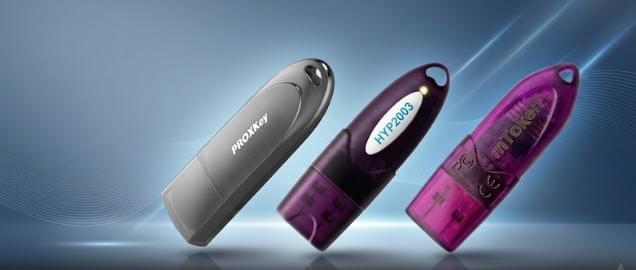
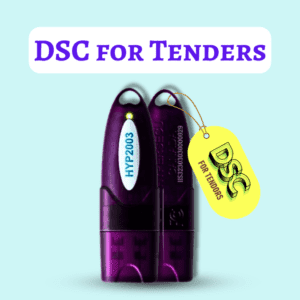
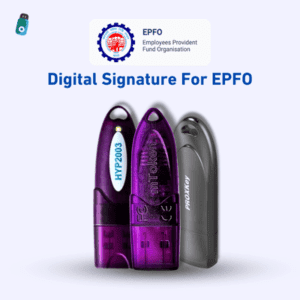
- Hardware (USB Token): If you already have a FIPS-certified token (like HYP2003), you may only need to pay for the certificate renewal.
Market Estimates: Class 3 DSC Pricing (2026)
Note: These are estimated market ranges and can vary based on service provider and specific portal requirements.
| Validity Period | Estimated Market Range | Digital Signature Spot Insights |
| 1 Year Class 3 | ₹1,200 – ₹1,800 | Affordable entry-level option |
| 2 Years Class 3 | ₹1,800 – ₹2,500 | Most popular for regular bidders |
| 3 Years Class 3 | ₹2,500 – ₹3,500 | Recommended for long-term value |
How to Evaluate a DSC Service Provider?
When searching for an affordable DSC, “cheap” shouldn’t be the only criteria. Technical support is crucial because a DSC is useless if it doesn’t work on the tender portal.
What to Look For:
- Transparency: Are the GST and Token charges clearly mentioned upfront?
- Verification Speed: Does the provider offer paperless Aadhaar eKYC for faster processing?
- Technical Assistance: Will they help you with driver installation or emSigner errors?
- FIPS Compliance: Ensure the USB token provided meets the latest government security standards.
Identifying Hidden Costs in the Market
Some service providers may advertise a very low base price but add hidden fees later. To get the best value, always clarify:
- Is the cost of the Physical USB Token included?
- Is there an additional fee for Remote Support during installation?
- Are there any “Application Processing” charges?
At Digital Signature Spot, we prioritize a transparent approach, aiming to provide comprehensive support from application to your first successful bid submission.
Quick Steps to Apply for Your DSC
If you are looking for a streamlined process, here is how it usually works:
- Consultation: Identify if you need an Individual or Organization Class 3 Combo.
- Documentation: Prepare your Aadhaar/PAN for the paperless eKYC process.
- Verification: Complete the quick video recording as per CA guidelines.
- Issuance: Once approved, the DSC can typically be ready for download in 15 to 30 minutes.
🔗 Explore Options: Class 3 DSC Pricing & Renewal
📞 Connect for Guidance: +91-7579984381
A Deep Dive into the DSC Application Process: What to Expect
Applying for a Class 3 Digital Signature has evolved into a highly efficient, 100% paperless workflow. To help you prepare, here is a detailed breakdown of the four primary stages involved in getting your certificate ready for eTendering.
1. Expert Consultation & Selection
The first step is identifying the specific “profile” of the DSC required by the tender portal (such as CPP Portal, GeM, or IREPS).
- Individual vs. Organization: If you are a sole proprietor, an Individual DSC might suffice. However, for Private Limited companies or Partnership firms, an Organization DSC is mandatory.
- The “Combo” Advantage: Most government portals require both Signing (to authenticate documents) and Encryption (to seal the bid). We generally recommend the Class 3 Combo to ensure your DSC works across all Indian eProcurement platforms.
2. Documentation & Paperless eKYC
Gone are the days of attesting photocopies and couriering files. The modern process uses eKYC (Electronic Know Your Customer):
- Aadhaar-based eKYC: This is the fastest method. By using your Aadhaar number and the OTP sent to your registered mobile, your identity is verified instantly.
- PAN-based eKYC: If your Aadhaar is not linked to a mobile number, you can upload a scanned copy of your PAN Card and a valid Address Proof (like a Voter ID or Driving License).
- For Organizations: You will simply need digital copies of business proofs, such as a GST Certificate, Partnership Deed, or Certificate of Incorporation.
3. Video Verification (The Security Check)
As per the latest CCA (Controller of Certifying Authorities) guidelines, a short video recording is required to confirm that the person applying is indeed the one shown in the documents.
- The Process: You will receive a secure link via SMS or Email. You simply need to open it on your smartphone or laptop.
- The Script: You will be asked to read a short code displayed on the screen and show your original PAN/Aadhaar card to the camera.
- Duration: This usually takes less than 20 seconds and can be done from the comfort of your office.
4. Fast-Track Approval & Secure Download
Once the video and eKYC are submitted, the final step is the technical issuance:
- Verification: Our team and the Certifying Authority (CA) review the data. If everything is in order, approval is typically granted within 15 to 30 minutes.
- The USB Token: Once approved, the certificate must be downloaded into a FIPS-certified Cryptographic USB Token (e.g., HYP2003 or Proxkey).
- Installation Support: We provide the necessary utility tools and remote assistance to ensure the certificate is correctly installed in your token and recognized by your browser for immediate use.
Detailed Guide: The 4-Stage DSC Application Process
Applying for a Class 3 Digital Signature has evolved into a highly efficient, 100% paperless workflow. To help you prepare, here is a breakdown of the four primary stages involved in getting your certificate ready for eTendering.
Stage 1: Expert Consultation & Category Selection
The first step is identifying the specific “profile” of the DSC required by your target portal (e.g., CPP Portal, GeM, or IREPS).
- Individual vs. Organization: If you are a sole proprietor, an Individual DSC is usually sufficient. However, for Private Limited companies, LLPs, or Partnership firms, an Organization DSC is mandatory.
- The “Combo” Advantage: Most government portals require both Signing (to authenticate documents) and Encryption (to seal the price bid). We generally recommend the Class 3 Combo to ensure your DSC works across all Indian eProcurement platforms.
Stage 2: Documentation & Paperless eKYC
Gone are the days of attesting photocopies and couriering files. The modern process uses eKYC (Electronic Know Your Customer):
- Aadhaar-based eKYC: This is the fastest method. By using your Aadhaar number and the OTP sent to your registered mobile, your identity is verified instantly. No document scanning is required.
- PAN-based eKYC: If your Aadhaar is not linked to a mobile number, you can use your PAN card. You will need to upload a scanned copy of your PAN Card and a valid Address Proof (Voter ID, Passport, or Driving License).
- For Organizations: You will simply need digital copies of business proofs, such as a GST Certificate, Partnership Deed, or Certificate of Incorporation.
Stage 3: Video Verification (The Security Check)
As per the latest CCA (Controller of Certifying Authorities) guidelines, a short video recording is required to confirm your identity.
- The Process: You will receive a secure link via SMS or Email. You can open it on any smartphone or laptop with a camera.
- The Script: You must clearly state your Name and a 3-digit code displayed on your screen.
- The Visuals: You will need to show your original PAN card and Address Proof to the camera. This usually takes less than 20 seconds.
Stage 4: Approval & Secure Download
Once the video and eKYC are submitted, the technical issuance begins:
- Fast-Track Approval: Our team and the Certifying Authority (CA) review your application. If everything matches, approval is typically granted within 15 to 30 minutes.
- Hardware Token: After approval, the certificate must be downloaded into a FIPS-certified Cryptographic USB Token (e.g., HYP2003 or Proxkey).
- Remote Setup: We provide the necessary utility tools and remote assistance to ensure the certificate is correctly installed and recognized by your browser.
Pre-Submission Checklist: Gather These Before You Apply
To ensure your DSC is approved on the first attempt without any rejections, keep these items ready:
| Requirement | Details |
| Mobile Number | Must be active to receive OTPs (Preferably linked to Aadhaar). |
| Email ID | A valid personal or official email for verification links. |
| Original Documents | Keep your Original PAN Card and Aadhaar Card handy for the video. |
| Organization Proof | (For Org DSC) Scanned copy of GST Certificate or Incorporation Certificate. |
| Good Lighting | Required for clear Video Verification. |
| USB Token | An empty, FIPS-certified USB Token (if you aren’t buying a new one). |
| Internet | Stable connection for the 20-second video upload. |
Ready to Start?
Don’t let technicalities slow down your business. At Digital Signature Spot, we simplify the entire journey from consultation to the final download.
🔗 Apply Online Today: Digital Signature Spot – Product Page
📞 Technical Support: +91-7579984381
Frequently Asked Questions (FAQ)
Q1. Why is Class 3 mandatory for eTendering?
Class 3 provides the highest level of security and identity verification, which is essential for high-value government contracts to prevent fraud.
Q2. Can I use a 1-year DSC for a long-term project?
Yes, but you will need to renew it every year. Most professionals prefer 2 or 3-year validity to avoid the hassle of frequent renewals during active tender cycles.
Q3. Is it safe to buy DSC online?
Yes, provided you are using an authorized partner. The entire process is encrypted and regulated by the Controller of Certifying Authorities (CCA).
About the Author: Samarth is the founder of Digital Signature Spot and a technical consultant with over 10 years of experience in the DSC industry. He specializes in helping businesses navigate the technical requirements of Indian eProcurement portals with ease and transparency.


About author












Add comment