


Get ICEGATE Class 3 DSC – Complete Guide for Customs Portal (Process, Errors & Expert Insights)
Get ICEGATE Class 3 DSC: If you are working on the ICEGATE portal (Indian Customs Electronic Gateway) for import or export activities, then having an ICEGATE Class 3 Digital Signature Certificate (DSC) is mandatory.
Without a valid Class 3 DSC for ICEGATE, users cannot:
- File customs documents
- Submit shipping bills or bills of entry
- Access ICEGATE services securely
This guide explains what ICEGATE Class 3 DSC is, how to apply, common mistakes, and expert tips, based on 11+ years of real experience in the Digital Signature industry.
✅ Quick Answer (Featured Snippet Ready)
ICEGATE Class 3 DSC is a high-security Digital Signature Certificate required to access and use the ICEGATE customs portal.
It is mandatory for importers, exporters, customs brokers, and CHA users to securely file and approve documents on ICEGATE.
What Is ICEGATE Class 3 DSC?
ICEGATE Class 3 Digital Signature Certificate is an electronic signature used to authenticate users on the ICEGATE customs portal, which is managed by Indian Customs.
This DSC ensures:
- Secure login
- Legal validity of customs filings
- Protection against data tampering
It is primarily used by:
- Importers & Exporters
- Customs Brokers (CHA)
- Logistics & freight forwarding companies
Why Is Class 3 DSC Mandatory for ICEGATE?
ICEGATE handles high-value and sensitive customs data related to imports and exports.
To maintain security, accountability, and legal compliance, Class 3 DSC is mandatory.
From my 11 years of experience in the Digital Signature industry, I have seen that:
Most ICEGATE login and filing failures happen not because of portal issues, but due to wrong DSC type or incorrect DSC configuration.
That is why ICEGATE strictly accepts Class 3 DSC only.
Which DSC Is Required for ICEGATE Portal?
For ICEGATE, users must use:
✅ Class 3 Digital Signature Certificate
✅ Signing DSC (Encryption usually not required)
⚠️ Using a normal Class 3 DSC meant for MCA or GST may not work if ICEGATE-specific requirements are not selected during issuance.
ICEGATE Class 3 DSC Application Process (Step-by-Step)
Step 1: Prepare Required Documents
Based on real cases I have handled over the years, document mismatch is the #1 cause of rejection.
Documents Required:
- PAN Card
- Aadhaar Card
- Organization proof (Company / Firm / LLP)
- ICEGATE registration details (if available)
- Mobile number & email ID
Step 2: Why Professional DSC Assistance Matters (Expert Insight)
Having worked in this industry for 11 years, I can confidently say:
ICEGATE DSC is not just about issuing a certificate — it is about correct usage mapping and portal compatibility.
When users apply without guidance:
- Wrong certificate variant gets selected
- DSC gets issued but does not work on ICEGATE
- Time and money are wasted
This is why experienced DSC vendors play a critical role.
Step 3: Enrollment & Submission to Certifying Authority
After documents are submitted:
- DSC application is enrolled
- Details are submitted to the Certifying Authority (CA)
During this stage:
- Mobile OTP
- Email OTP
are required to authenticate the applicant.
Step 4: Video Verification (Mandatory)
As per CCA guidelines, video verification is compulsory.
During video verification, the applicant must:
- Show original PAN card
- Show organization proof
- Confirm personal details
From experience, clear documents and calm verification reduce rejection risk significantly.
Payment, eSign & Download Key Setup
Once verification is approved:
- Applicant logs into eKYC account
- Completes ICEGATE Class 3 DSC payment
- Sets Download Key / Password
Without setting the download key, DSC cannot be installed.
Download ICEGATE Class 3 DSC in USB Token
Using:
- Application ID
- Download Key
the DSC is downloaded into a compatible USB token.
⚠️ Important from field experience:
Many ICEGATE issues occur due to old or unsupported USB tokens.
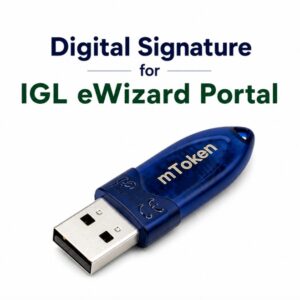
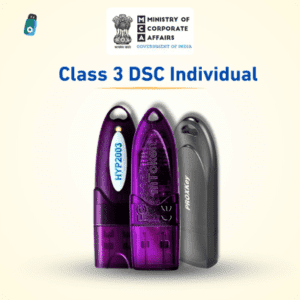
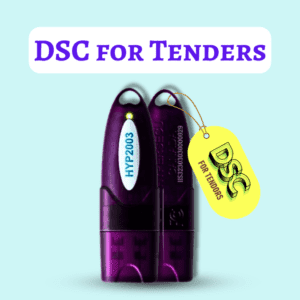
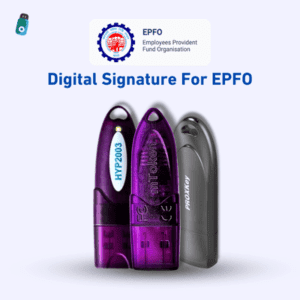
Always use new-serial USB tokens like:
- HYP2003
- WatchData ProxKey
- mToken
Common ICEGATE DSC Errors (Based on Real Cases)
In my 11 years of handling DSC issues, these are the most common ICEGATE problems:
❌ Common Errors:
- DSC not detected on ICEGATE
- Wrong Class 3 variant selected
- PAN or organization name mismatch
- Old USB token
- Browser or signer utility issues
How to Avoid ICEGATE DSC Issues (Expert Recommendation)
From experience, the safest approach is:
✔ Correct DSC type selection
✔ Proper document matching
✔ ICEGATE-compatible USB token
✔ Professional configuration support
Most users who follow this approach never face ICEGATE login or filing issues.
ICEGATE Class 3 DSC Validity & Renewal
ICEGATE Class 3 DSC is generally issued for:
- 1 Year
- 2 Years
- 3 Years
Renewal is recommended before expiry, as expired DSCs cause sudden filing blocks on ICEGATE.
Who Should Apply for ICEGATE Class 3 DSC?

ICEGATE Class 3 DSC is mandatory for:
- Importers & Exporters
- Customs House Agents (CHA)
- Freight forwarders
- Logistics companies
- ICEGATE registered users
Final Expert Opinion
After 11 years in the Digital Signature industry, one thing is very clear:
A wrongly issued DSC costs more than a correctly issued one.
For ICEGATE, where delays directly affect shipments and compliance, using the right Class 3 DSC with correct configuration is critical.
❓ Frequently Asked Questions (FAQ) – ICEGATE Class 3 DSC
1. What is ICEGATE Class 3 DSC?
ICEGATE Class 3 DSC is a high-security Digital Signature Certificate required to log in and submit documents on the ICEGATE customs portal for import and export activities.
2. Is Class 3 DSC mandatory for ICEGATE portal?
Yes. ICEGATE accepts only Class 3 Digital Signature Certificates. Without it, users cannot file shipping bills, bills of entry, or access ICEGATE services.
3. Which type of DSC is required for ICEGATE?
ICEGATE requires a Class 3 Signing Digital Signature Certificate. Encryption DSC is generally not required unless specifically mentioned.
4. Who needs ICEGATE Class 3 DSC?
ICEGATE Class 3 DSC is required for:
- Importers & Exporters
- Customs House Agents (CHA)
- Logistics & freight forwarding companies
- ICEGATE registered users
5. Can I use the same Class 3 DSC for ICEGATE and GST/MCA?
In many cases, no. ICEGATE DSC requires correct usage mapping. A DSC issued for MCA or GST may not work on ICEGATE if not configured properly.
6. Why is my ICEGATE DSC not working after issuance?
Common reasons include:
- Wrong DSC variant selected
- PAN or organization name mismatch
- Old or unsupported USB token
- Browser or signer utility issues
7. Is video verification mandatory for ICEGATE DSC?
Yes. As per CCA guidelines, video verification is mandatory for issuing ICEGATE Class 3 DSC.
8. Which USB token is compatible with ICEGATE Class 3 DSC?
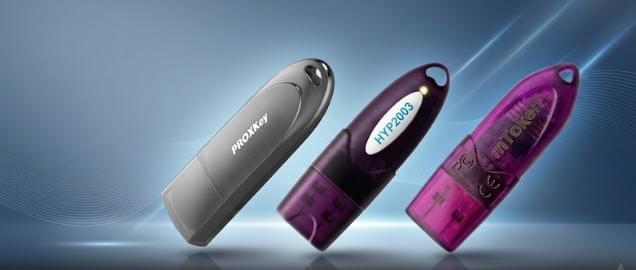
ICEGATE works best with new-serial USB tokens such as:
- HYP2003
- WatchData ProxKey
- mToken
Old tokens often cause detection issues.
9. How long does ICEGATE Class 3 DSC approval take?
ICEGATE Class 3 DSC is usually issued within 30 minutes to 2 hours, depending on document verification and video verification completion.
10. Can ICEGATE Class 3 DSC be renewed?
Yes. ICEGATE Class 3 DSC can be renewed before or after expiry. Renewal is faster and helps avoid sudden portal access issues.
11. Is it safe to apply ICEGATE DSC through a vendor?
Yes. Applying through an experienced DSC vendor is safe and recommended, as they ensure correct configuration, error-free issuance, and technical support.
12. What happens if ICEGATE DSC expires?
If your DSC expires:
- ICEGATE login will stop working
- Document filing will be blocked
- Customs clearance may get delayed
Renewal before expiry is strongly advised.
Get Your ICEGATE Class 3 Digital Signature Today
If you want to work on the ICEGATE customs portal without errors, delays, or rejections, choosing the right Class 3 Digital Signature Certificate (DSC) is critical.
With 11+ years of hands-on experience in the Digital Signature industry, we have helped thousands of Importers, Exporters, and Customs Brokers (CHA) successfully obtain and use ICEGATE-compatible Class 3 DSCs.
What You Get With Us:
- ✔ ICEGATE-compatible Class 3 DSC
- ✔ Correct certificate mapping & configuration
- ✔ Complete video verification guidance
- ✔ USB token & installation support
- ✔ Fast approval with post-issuance technical support
🔘 Ready to Buy ICEGATE Class 3 DSC?
📞 Call Us: Samarth
📧 Email: digitalsignaturespot@gmail.com
💬 WhatsApp: +917579984381 (Quick Support)
👉 Get Your DSC Now and Start Using ICEGATE Without Any Hassle
🔐 Why Choose Us?
“After 11 years in the Digital Signature industry, one thing is clear — a correctly issued DSC saves more time, money, and stress than any shortcut.”
If you want peace of mind, compliance, and smooth ICEGATE operations,
contact us today and get your ICEGATE Class 3 Digital Signature issued the right way.

About author














Add comment