


Digital Signature Certificate for Company Registration – Complete Guide (Cost, Documents & Setup)
Introduction
If you are about to start a company in India, one of the very first requirements you’ll hear from your Chartered Accountant or consultant is — “Sir, DSC banwa lijiye.”
The Digital Signature Certificate (DSC) has now become a must for all online filings with the Ministry of Corporate Affairs (MCA), Startup India, and even GST portals. Over the last 10 years working in the DSC industry, I’ve personally helped thousands of entrepreneurs, directors, and companies get their DSC ready for new registrations.

In this blog, I’ll share everything I’ve learned from real-world experience: cost, documents required, step-by-step installation, common errors, and practical troubleshooting tips.
Why is DSC Important for Company Formation?

Whenever a new company is registered, several documents (like SPICe+, MOA, AOA) are filed online on the MCA portal. These documents need to be digitally signed to be legally valid.
For a Private Limited Company, LLP, or even a One Person Company (OPC), at least one director’s DSC is mandatory.
📌 In short:
- Digital Signature Certificate for Company Registration → Individual DSC is enough. for all types of organizations, like Proprietor, Company, LLP, and all.
This is where the keyword fits: digital signature certificate mandatory requirements for private limited company.
Cost of Digital Signature Certificate for Company Registration Formation
One of the most common questions my clients ask me is: “Sir, DSC kitne ka lagega?”
Well, the cost of digital signature certificate for new company formation depends on a few factors:
- Validity: 1 year, 2 years, or 3 years.
- Certifying Authority: Vsign, Pantasign, eMudhra, ProdigySign, etc.
- USB Token: Some providers include it, some charge separately.
👉 On average, the cost ranges between ₹800 – ₹1,800 per DSC, depending on the vendor and duration.
In my experience, most new companies go for a 2-year DSC, as it saves renewal hassle.
Documents Needed for DSC Application
To apply for a DSC, you’ll need to submit some basic KYC documents. Over the years, I’ve seen that incomplete documents are the main reason for delays. So make sure you have everything ready.
Here’s the checklist:
- PAN card of the applicant (mandatory for company filings).
- Aadhaar card or Passport for ID & Address proof.
- Email ID & Mobile number (will be verified via OTP).
- Passport size photo (latest, clear background).
So, if you’re searching for documents needed for digital signature certificate business registration application, this is the complete list.
Verification Steps for Company Registration DSC
Applying for DSC today is much easier compared to 8–10 years ago when I started. At that time, physical documents were couriered to CAs and verification used to take days.
Now, the digital signature certificate verification steps for company registration are simple:
- Fill the DSC Application online on a CCA-approved provider’s portal.
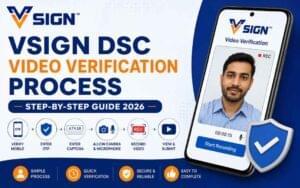
- Complete Video KYC – a short video where you show your ID proof and read a verification code.
- Aadhaar OTP Verification (for faster approval).
- Within a few hours, the DSC is issued and can be downloaded on your token.
Most of my clients are amazed when I tell them, “Aapka DSC aaj hi ban jayega.”
Installation Guide for DSC
Now comes the part where most people call me for support — installation.
This is where the digital signature certificate installation guide for company registration matters.
Here are the exact steps I guide my clients through:
- Plug in the USB token provided with the DSC.
- Install the Token Driver (different for eMudhra, Vsign, Prodigy, etc.).
- Download and install DSC Download utility (from certifying authorities office website portals).
- Test your DSC on the portal’s Verify DSC option.
Once installed, you can sign incorporation forms (SPICe+, DIR-3 KYC, GST registration, etc.) without issue.
Browser Compatibility & Troubleshooting
This is where my technical support experience has saved many clients at the last moment.
DSCs don’t work smoothly on all browsers.
The best option is Google Chrome and Mozila Firefox.
👉 Common issues I’ve seen in the last 10 years:
- DSC not detected → Token driver missing.
- Java errors → Old cache or wrong JRE version.
- Login button not working → Portal not added to Trusted Sites.
- Pop-ups blocked → Disable popup blocker for MCA portal.
This is where the keywords fit:
- digital signature certificate browser compatibility for company registration
- digital signature certificate error troubleshooting during company registration
I still remember one client who had a tender deadline at 5 PM. At 4:45 PM, his DSC stopped working. Within 10 minutes, I guided him on enabling IE Mode and clearing Java cache. He managed to submit the bid on time. That’s how crucial correct setup is.
Expert Tips from 10+ Years in DSC Industry
- Always buy DSC from a CCA-approved certifying authority only.
- Never share your DSC token password with anyone.
- Always check DSC expiry before tender deadlines.
- Renew DSC at least 7 days before expiry.
- Keep only one valid Java version installed at a time.
Conclusion
Getting a digital signature certificate for company registration is not just a formality – it’s the backbone of online company filings in India. From my decade of experience, I can say confidently that most DSC problems are avoidable if you:
- Keep your documents ready,
- Install drivers properly,
- Configure your browser correctly.
So, before you begin your new company formation process, make sure your DSC is sorted. It’ll save you time, stress, and last-minute panic.
FAQs
Q1. What is the cost of DSC for company registration?
👉 It usually ranges between ₹800 – ₹1,800 depending on provider and validity.
Q2. Is DSC mandatory for company incorporation?
👉 Yes, especially for Private Limited Company, LLP, and OPC directors.
Q3. Can one DSC be used for multiple companies?
👉 Yes, but it is always linked to a single PAN, not multiple PANs.
Q4. How do I fix DSC not working on MCA portal?
👉 Install token drivers, run emBridge, and open the portal in Google Chrome browser.


About author















Add comment