


What is Digital Signature Certificate? Complete Beginner Guide
Introduction
What is Digital Signature Certificate? A Digital Signature Certificate (DSC) is an electronic credential that proves your identity online and lets you sign documents digitally. Just like a handwritten signature proves identity on paper, a DSC proves who signed a digital document — and that the document wasn’t altered after signing. In India, DSCs are issued by licensed Certifying Authorities and are legally valid under the Information Technology Act, 2000.
This beginner guide explains the meaning of a digital signature, how a DSC works, the different types available in India, benefits, common use-cases, and answers frequently asked questions.
Definition — What is a Digital Signature Certificate (DSC)?
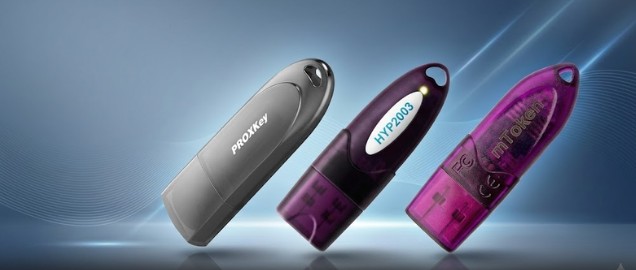
A Digital Signature Certificate (DSC) is a secure, tamper-evident digital credential that contains information about the certificate holder (name, email, public key, issuing authority, validity dates). It binds the signer’s identity to a public-private cryptographic key pair. The private key is kept secret (usually inside a USB crypto token), while the public key is shared via the certificate so anyone can verify the signature.
Key points:
- Issued by licensed Certifying Authorities (CAs) in India
- Legally recognized under the IT Act, 2000
- Used to sign electronic documents and authenticate users to portals
How DSC Works — Simple Explanation
- Key pair generation: A public and private cryptographic key pair is created.
- Certificate issuance: A Certifying Authority verifies identity and issues the DSC containing the public key and identity details.
- Storage: The private key + certificate are stored securely (commonly on a USB crypto token).
- Signing: When you sign a document, the signing software uses your private key to create a digital signature.
- Verification: Anyone can verify the signature by using your DSC (public key) — this confirms the signer and that the document wasn’t altered.
Security features:
- Non-repudiation (signer cannot deny signing)
- Integrity (alterations are detectable)
- Authentication (proves signer’s identity)
Types of Digital Signature Certificates (DSC) in India
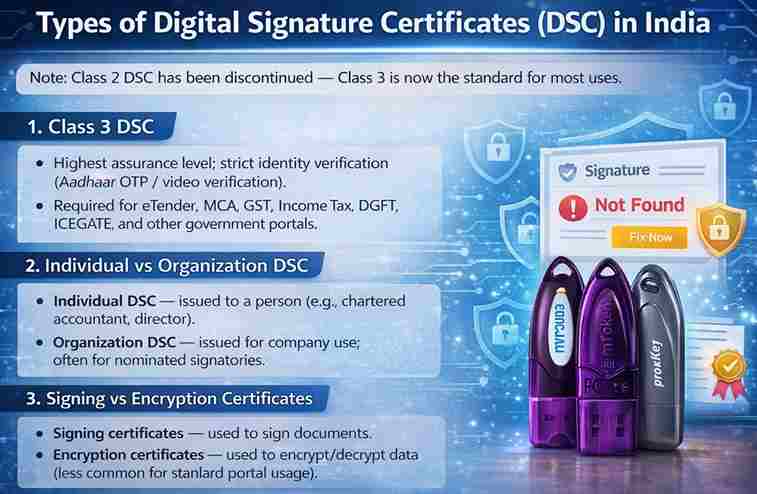
Note: Class 2 DSC has been discontinued — Class 3 is now the standard for most uses.
1. Class 3 DSC
- Highest assurance level; strict identity verification (Aadhaar OTP / video verification).
- Required for eTender, MCA, GST, Income Tax, DGFT, ICEGATE, and other government portals.
2. Individual vs Organization DSC
- Individual DSC — issued to a person (e.g., chartered accountant, director).
- Organization DSC — issued for company use; often for nominated signatories.
3. Signing vs Encryption Certificates
- Signing certificates — used to sign documents.
- Encryption certificates — used to encrypt/decrypt data (less common for standard portal usage).
4. Hardware token vs Cloud DSC
- USB crypto token — private key stored locally on a secure device (most common).
- Cloud DSC (emerging) — private key stored in a secure cloud HSM and accessed via OTP/2FA.
Benefits of Using a Digital Signature Certificate
- Legal validity: Accepted under the IT Act, 2000.
- Security: Strong cryptographic protection and tamper detection.
- Convenience: Sign documents remotely, submit government forms online.
- Time & cost saving: No physical paperwork, faster approvals.
- Non-repudiation: Signer cannot deny a digitally signed transaction.
Where DSC Is Used — Common Use Cases
- Government Portals: Income Tax e-filing, GST portal, MCA filings, eTender portals.
- Business Compliance: Company filings, director KYC, contracts.
- Trade & Logistics: DGFT, ICEGATE (imports/exports).
- IP Filings: Trademark and patent applications.
- Banks & Finance: Secure transactions and authorizations.
How to Obtain & Use a DSC (Quick Steps)
- Choose an authorized DSC provider (Registration Authority).
- Apply online — select Individual/Organization and validity (1/2/3 years).
- Identity verification — Aadhaar OTP or video verification + PAN.
- Document approval by the Certifying Authority.
- Login to eKYC account & pay online.
- Download DSC and install it into your USB token (or cloud method).
- Install token driver / emSigner and test signing on target portal.
Common Problems & Quick Fixes
- USB token not detected → Install/update token driver; try another USB port.
- Digital signature not showing in browser → Install/run emSigner, use updated Chrome/Edge, insert token before opening portal.
- Private key not found → Reinstall token driver or contact CA/provider.
- Token password locked → Contact provider for token reset/replacement.
(You can link to troubleshooting articles on your site for detailed steps.)
Frequently Asked Questions (FAQ)
Q: What is the legal status of a DSC in India?
A: DSCs are legally valid under the Information Technology Act, 2000 and accepted by Indian government portals.
Q: Is Class 2 DSC still issued?
A: No. Class 2 DSC has been discontinued; Class 3 DSC is used for most purposes.
Q: Do I need a USB token for DSC?
A: Yes — for most Class 3 DSCs the private key is stored on a USB crypto token for security.
Q: How long does DSC issuance take?
A: With proper verification, DSC issuance typically takes 15–30 minutes after approval and payment.
Q: Can a DSC be renewed?
A: Yes. DSCs can be renewed (1/2/3 year validity options). Renew before expiry to avoid service interruption.
Apply for a Class 3 Digital Signature Certificate

Need help obtaining, renewing, or troubleshooting a DSC? We provide end-to-end support:
- New Class 3 DSC issuance
- DSC renewal
- USB token setup & driver installation
- emSigner & portal signing support
🌐 https://digitalsignaturespot.com/product/digital-signature-certificate-renewal-online/
📞 Call / WhatsApp: 7579984381
How to Buy Digital Signature Certificate Online
If you need a new Digital Signature Certificate, you can apply for it online through an authorized DSC provider. The entire process is quick and usually takes 15–30 minutes after verification.
Step-by-Step Process
Step 1 – Choose DSC Type
Select the required DSC type:
- Individual DSC
- Organization DSC
Most users today require Class 3 Digital Signature Certificate for government portals.
Step 2 – Fill the Application Form
Enter basic details such as:
- Name
- PAN number
- Email ID
- Mobile number
Make sure the information matches your identity documents.
Step 3 – Complete Identity Verification
Verification is completed using:
- Aadhaar OTP authentication
or - Video verification
Step 4 – Document Approval
After verification, the Certifying Authority reviews and approves the documents.
Step 5 – Login to eKYC Account and Make Payment
Once the documents are approved, you need to log in to the Digital Signature eKYC account and complete the online payment.
After payment, you can download your Digital Signature Certificate and install it in your USB token.
Apply for Digital Signature Certificate
If you want to buy a Class 3 Digital Signature Certificate quickly, our team at Digital Signature Spot can help you with complete assistance.
✔ Class 3 DSC issuance
✔ USB token setup
✔ Token driver installation
✔ Portal signing support
Apply online:
📞 Call / WhatsApp: 7579984381
How to Renew Digital Signature Certificate Online
A Digital Signature Certificate is issued for a limited validity period, usually 1 year, 2 years, or 3 years. Once the certificate expires, it must be renewed to continue using it on government portals.
Steps to Renew DSC Online
Step 1 – Apply for DSC Renewal
Choose the DSC renewal option on the service provider website.
Step 2 – Fill Renewal Details
Enter your existing DSC details and verify your identity.
Step 3 – Complete Aadhaar or Video Verification
Verification confirms that the certificate holder’s identity is valid.
Step 4 – Document Approval
After verification, the certifying authority approves the renewal request.
Step 5 – Login to eKYC Account and Complete Payment
Once approved, log in to your Digital Signature eKYC account and complete the online renewal payment.
After successful payment, the renewed DSC will be available for download.
Renew Your DSC with Expert Support
If your Digital Signature Certificate is expired or about to expire, our team can help you renew it quickly.
We provide:
✔ Class 3 DSC renewal
✔ USB token installation support
✔ Driver troubleshooting
✔ Digital signature setup assistance
🌐 https://digitalsignaturespot.com
📞 Call / WhatsApp: 7579984381
About the Author
Samarth — Digital Signature expert at Digital Signature Spot. Smarth helps businesses and professionals get DSCs quickly, set up tokens, and solve portal signing issues. He writes practical, step-by-step guides to simplify DSC usage for users across India.

About author











Add comment