

Get Income Tax Digital Signature Certificate (DSC) – Complete Guide for Filing & Compliance
An Income Tax Digital Signature Certificate (DSC) is mandatory for many taxpayers to securely file returns, audit reports, and income tax forms on the Income Tax Department portal.
Whether you are an individual taxpayer, CA, company, LLP, or firm, using the correct Digital Signature Certificate for Income Tax ensures compliance, security, and faster processing.
This guide explains what Income Tax DSC is, who needs it, which DSC is required, how to apply, common errors, and expert recommendations based on real-world experience.
Quick Answer
An Income Tax Digital Signature Certificate is an electronic signature used to file Income Tax Returns (ITR), audit reports, and forms securely on the Income Tax portal.
Class 3 Signing DSC is generally required for companies, LLPs, and tax audit cases.
What Is Income Tax Digital Signature Certificate?
An Income Tax Digital Signature Certificate (DSC) is a secure electronic signature issued by a government-authorized Certifying Authority.
It is used to:
- Authenticate the taxpayer
- Securely submit Income Tax Returns (ITR)
- Digitally sign audit reports and forms
- Ensure legal validity of online filings
The Income Tax Department accepts DSCs as legally valid electronic signatures.
Why Is DSC Required for Income Tax Filing?
The Income Tax portal deals with financially sensitive data. To ensure security and authenticity, DSC is required for:
- Companies filing ITR
- LLPs filing returns
- Tax audit cases
- Chartered Accountants filing audit reports
- Certain income tax forms and compliance filings
From practical experience, most ITR rejections or delays happen due to:
- Wrong DSC type
- Expired DSC
- Improper DSC registration on the portal
Which DSC Is Required for Income Tax?
For Income Tax purposes, the following DSC is required:
✅ Class 3 Digital Signature Certificate
✅ Signing DSC (Encryption not mandatory)
Who Needs Class 3 DSC for Income Tax?
- Companies
- LLPs
- Firms
- Trusts & NGOs
- Tax audit assessees
- Chartered Accountants
⚠️ Using a lower-class or incorrectly configured DSC may result in ITR filing failure.
Income Tax DSC Registration Process (Step-by-Step)
Step 1: Obtain Class 3 Digital Signature Certificate
Purchase a Class 3 DSC for Income Tax from an authorized DSC provider.
Step 2: Register DSC on Income Tax Portal
- Log in to the Income Tax e-Filing portal
- Go to Profile → Register DSC
- Select certificate provider
- Plug in USB token
- Complete DSC registration
Once registered, DSC can be used for ITR filing and form submissions.
Step 3: Use DSC for ITR & Forms
After registration:
- Sign Income Tax Returns
- Submit audit reports
- File forms digitally
DSC replaces Aadhaar OTP and manual verification.
Documents Required for Income Tax DSC
Commonly required documents include:
- PAN Card
- Aadhaar Card
- Passport-size photograph
- Mobile number & email ID
- Organization details (for companies / LLPs)
Video verification is mandatory as per CCA guidelines.
Common Income Tax DSC Errors (And Solutions)
❌ Common Problems:
- DSC not registered on Income Tax portal
- DSC expired
- USB token not detected
- Wrong DSC selected
- Browser or driver issues
✅ Solutions:
- Renew DSC before expiry
- Use compatible USB token (HYP2003 / WatchData / mToken)
- Reinstall token drivers
- Use updated browser (Chrome / Edge)
Income Tax Digital Signature Certificate Validity
Income Tax DSC is issued for:
- 1 Year
- 2 Years
- 3 Years
👉 Renewal before expiry is strongly recommended to avoid filing disruptions.
Income Tax DSC Price in India (Approximate)
| Validity | Price Range |
|---|---|
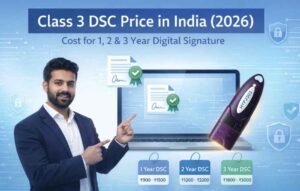
| 1 Year | ₹700 – ₹1,200 |
| 2 Years | ₹1,200 – ₹1,800 |
| 3 Years | ₹1,800 – ₹2,500 |
➕ USB token charges may apply if not already available.
Expert Insight
With 11+ years of experience in the Digital Signature industry, one thing is clear:
Most Income Tax DSC issues are not portal problems — they are DSC selection, configuration, or renewal mistakes.
Taxpayers who use the correct Class 3 Signing DSC and keep it active rarely face filing issues.
Who Should Buy Income Tax DSC from a Professional Vendor?
Professional assistance is recommended for:
- Companies & LLPs
- Tax audit cases
- CA-handled filings
- Multiple-use DSC requirements
A trusted DSC provider ensures:
- Correct DSC type
- Error-free registration
- Technical support during filing
Final Recommendation
If you are required to file returns or forms using DSC, always use a valid Class 3 Digital Signature Certificate for Income Tax.
Wrong or expired DSC can lead to:
❌ Filing failure
❌ Compliance delay
❌ Penalties
Get Class 3 Digital Signature from Us
Looking for a fast, reliable, and fully compliant Class 3 Digital Signature Certificate for Income Tax, ICEGATE, DGFT, GST, MCA, or other government portals?
You’re in the right place.
With 11+ years of experience in the Digital Signature industry, we ensure:
- ✔ Correct Class 3 DSC selection
- ✔ Error-free processing
- ✔ Video verification guidance
- ✔ USB token & installation support
- ✔ After-sales technical assistance
📞 Contact Us Now
📱 Call / WhatsApp: 7579984381
📧 Email: digitalsignaturespot@gmail.com
👉 Get Your Class 3 Digital Signature Issued Quickly & Hassle-Free
🔐 Why Choose Us?
A correctly issued Digital Signature saves more time, money, and stress than fixing a wrong one later.
Thousands of professionals trust us for secure, government-approved Digital Signatures — and we’re ready to help you too.
❓ Frequently Asked Questions (FAQs) – Income Tax Digital Signature Certificate
1. What is an Income Tax Digital Signature Certificate?
An Income Tax Digital Signature Certificate (DSC) is an electronic signature used to securely file Income Tax Returns (ITR), audit reports, and forms on the Income Tax e-Filing portal.
2. Is DSC mandatory for Income Tax filing?
Yes, DSC is mandatory for companies, LLPs, tax audit cases, and Chartered Accountants. Individual taxpayers usually do not require DSC unless specifically notified.
3. Which DSC is required for Income Tax?
A Class 3 Digital Signature Certificate (Signing DSC) is required for Income Tax filings. Encryption DSC is generally not required.
4. Who needs Class 3 DSC for Income Tax?
Class 3 DSC is required by:
- Companies
- LLPs
- Firms
- Trusts & NGOs
- Tax audit assessees
- Chartered Accountants
5. How do I register DSC on the Income Tax portal?
Log in to the Income Tax e-Filing portal, go to Profile → Register DSC, select your certificate provider, connect your USB token, and complete DSC registration.
6. Why is my DSC not working on the Income Tax portal?
Common reasons include:
- Expired DSC
- Wrong DSC type selected
- USB token driver not installed
- DSC not registered on the portal
7. Is video verification mandatory for Income Tax DSC?
Yes. As per CCA guidelines, video verification is mandatory while issuing or renewing a Class 3 Digital Signature Certificate.
8. What documents are required for Income Tax DSC?
Generally required documents include:
- PAN Card
- Aadhaar Card
- Passport-size photograph
- Mobile number & email ID
- Organization details (for companies / LLPs)
9. What is the validity of Income Tax DSC?
Income Tax DSC is issued for 1 year, 2 years, or 3 years. Renewal before expiry is recommended to avoid filing issues.
10. What is the price of Income Tax Digital Signature Certificate?
The approximate price is:
- 1 Year: ₹700 – ₹1,200
- 2 Years: ₹1,200 – ₹1,800
- 3 Years: ₹1,800 – ₹2,500
(USB token charges may be extra)
11. Can Income Tax DSC be renewed after expiry?
Yes, Income Tax DSC can be renewed even after expiry, but renewal before expiry is faster and avoids filing disruptions.
12. Is it safe to buy Income Tax DSC from a vendor?
Yes. Buying DSC from a trusted and experienced vendor ensures correct certificate type, proper configuration, and technical support during filing.
About the Author
Smarth is a Digital Signature Certificate (DSC) expert with over 11 years of hands-on experience in the Indian digital signature and e-governance ecosystem.
Over the past decade, he has worked closely with individuals, professionals, Chartered Accountants, Importers, Exporters, Customs Brokers, and businesses to help them obtain and use Class 3 Digital Signature Certificates across government portals such as Income Tax, ICEGATE, DGFT, GST, MCA, and eGramSwaraj.
Having handled thousands of DSC applications, Smarth specializes in:
- Correct DSC selection and usage mapping
- Avoiding common DSC errors and rejections
- USB token compatibility and installation
- Portal-specific DSC issues and solutions
His writing is based on real-world problem-solving experience, not theory. The goal of his content is simple:
help users choose the right Digital Signature the first time and avoid costly mistakes.
📞 Contact: 7579984381
📧 Email: digitalsignaturespot@gmail.com

About author











Add comment