

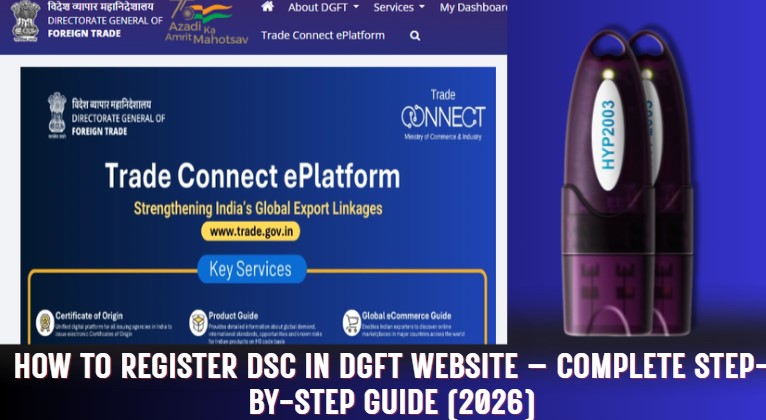
How to Register DSC in DGFT Website – Complete Step-by-Step Guide (2026)
How to Register DSC in DGFT Website? Registering a Digital Signature Certificate (DSC) on the DGFT website is a mandatory process for importers and exporters in India. Without a DGFT-based Class 3 Digital Signature Certificate, users may face login issues, registration errors, or rejection while using DGFT online services.
In this detailed guide, you will learn everything about DGFT DSC registration, including what DGFT DSC is, how it is different from a normal Class 3 DSC, how to register DSC on DGFT portal, how to verify your DSC, common errors, and where to buy DGFT DSC in India.

What Is DGFT DSC?
DGFT DSC (Directorate General of Foreign Trade Digital Signature Certificate) is a Class 3 Digital Signature Certificate issued specifically for use on the DGFT portal.
It is used to authenticate and verify users while performing import-export related activities online.
A DGFT DSC contains the following mandatory details:
- Individual Applicant Name
- Organization / Company Name
- IEC Number (Import Export Code)
- Branch Code
These details link the digital signature directly to the IEC holder, making it valid for DGFT operations.
Difference Between Normal Class 3 DSC and DGFT DSC
Many users assume that any Class 3 DSC will work on DGFT, but this is not true.
| Feature | Normal Class 3 DSC | DGFT Class 3 DSC |
|---|---|---|
| Applicant Name | ✔ Yes | ✔ Yes |
| Organization Name | ❌ Optional | ✔ Mandatory |
| IEC Number | ❌ No | ✔ Yes |
| Branch Code | ❌ No | ✔ Yes |
| DGFT Portal Support | ❌ Limited | ✔ Fully Supported |
⚠️ Important Note:
If you try to register a normal Class 3 DSC on DGFT, you may face errors or your DSC may not be accepted.
Where Is DGFT DSC Used?
DGFT DSC is used for all online services available on the DGFT portal, including:
- IEC registration and modification
- Import-export license applications
- Export promotion schemes
- Duty credit scrips
- DGFT authorisations
- Online submissions and compliance
In short, DGFT DSC is compulsory for every IEC holder.
Prerequisites for DSC Registration on DGFT
Before registering your DSC on DGFT, make sure the following requirements are fulfilled:
- Valid DGFT-based Class 3 DSC
- USB Token (ePass, ProxKey, WD ProxKey, Safenet, etc.)
- Correct USB token driver installed
- USB token password is not default
- Active DGFT user account
- Compatible browser (Chrome / Edge recommended)
How to Register DSC in DGFT Website (Step-by-Step Process)
Follow the steps below carefully to register your DSC on the DGFT portal:
Step 1: Visit DGFT Official Website
Go to https://dgft.gov.in
Step 2: Login to DGFT Account
Login using your registered username and password.
Step 3: Open My Dashboard
After login, navigate to “My Dashboard” from the main menu.
Step 4: Click on “View / Register New Digital Signature”
Inside the dashboard, find and click View/Register New Digital Signature.
Step 5: Insert USB Token
Connect your USB token containing the DGFT DSC to your computer.
Step 6: Select Certificate Name
Choose the correct DGFT DSC certificate from the list displayed.
Step 7: Enter USB Token Password
Enter the USB token password.
⚠️ Make sure:
- Password is not default
- Caps Lock is off
Step 8: Click on Update
Click the Update button to complete the registration.
✅ Within 2 to 4 seconds, your Digital Signature Certificate will be successfully registered on your DGFT profile.
How to Check Whether Your DSC Is DGFT-Based or Not?
If you are unsure whether your DSC is valid for DGFT, follow these steps:
Step 1: Open USB Token Driver
Launch your USB token manager software.
(WD ProxKey users can directly access certificates without login.)
Step 2: View Certificates
You will see your digital signature certificate listed.
Step 3: Open Certificate Details
Double-click on the certificate.
Step 4: Go to Details Tab
Click on the “Details” tab and find the Subject field.
Step 5: Verify DGFT Format
Look for the following format:
OU = DGFTIEC – Your IEC Number – Branch Code
- ✅ If this format is present → Your DSC is DGFT-based
- ❌ If not → Your DSC is not valid for DGFT
In that case, you must apply for a new DGFT DSC.
Common Errors While Registering DSC on DGFT
Here are some common issues faced by users:
- Using normal Class 3 DSC instead of DGFT DSC
- USB token driver not installed
- Default token password
- Expired DSC
- Browser compatibility issues
- Wrong certificate selected
Fixing these issues usually resolves DSC registration problems.
Validity of DGFT DSC
DGFT DSC is available with:
- 1 Year Validity
- 2 Years Validity
After expiry, you must renew or reissue a new DGFT DSC and register it again on DGFT.
Can One DGFT DSC Be Used for Multiple IECs?
No.
Each DGFT DSC is linked to one IEC number and one branch code only.
For multiple IECs, separate DGFT DSCs are required.
Where to Buy DGFT DSC in India?
Digital Signature Spot
India’s Trusted Certified Digital Signature Provider
Why choose Digital Signature Spot?
- Genuine DGFT Class 3 DSC
- Fast issuance
- Expert DGFT support
- Affordable pricing
- Complete guidance
📞 Call / WhatsApp: 7579984381
🌐 Website: digitalsignaturespot.com
📧 Email: digitalsignaturespot@gmail.com
Frequently Asked Questions (FAQs)
What is DGFT DSC?
DGFT DSC is a Class 3 Digital Signature Certificate issued for DGFT portal use and includes IEC and organization details.
Is DGFT DSC mandatory?
Yes, DGFT DSC is mandatory for all IEC holders.
How long does DSC registration take on DGFT?
Only 2–4 seconds, if the DSC and token are correct.
Can I use the same DSC on multiple computers?
Yes, as long as the USB token driver is installed.
Final Conclusion
If you want smooth, error-free access to DGFT online services, registering a DGFT-based Class 3 Digital Signature Certificate is essential.
Using the correct DGFT DSC saves time, avoids rejection, and ensures compliance with DGFT regulations.
For trusted and fast DGFT DSC services, Digital Signature Spot is your reliable partner.


About author













Add comment