


How to Buy Class 3 Digital Signature Certificate Online (Step-by-Step Guide)
Introduction
In today’s digital governance system, many government portals require a Digital Signature Certificate (DSC) to verify the identity of users and securely sign documents online. Whether you are filing income tax returns, participating in e-tenders, or submitting documents on the MCA portal, a DSC ensures authentication and legal validity.
Among the available certificates, Class 3 Digital Signature Certificate is currently the highest level of security DSC issued in India. Many professionals, companies, and contractors search for “buy class 3 DSC online” because the process has now become quick and fully online.
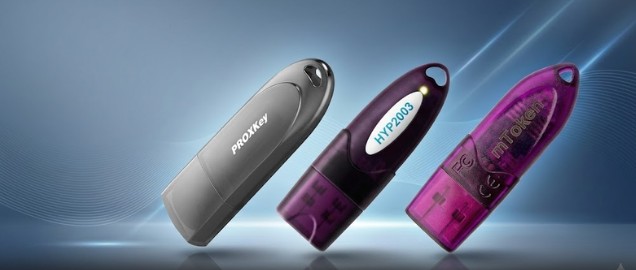
In this guide, we will explain how to buy Class 3 Digital Signature Certificate online step-by-step, along with documents required, common errors, and tips to ensure smooth issuance.
What is a Class 3 Digital Signature Certificate?
A Class 3 Digital Signature Certificate is a highly secure digital credential issued by licensed Certifying Authorities (CAs) in India. It verifies the identity of the individual or organization digitally and allows users to sign documents electronically.
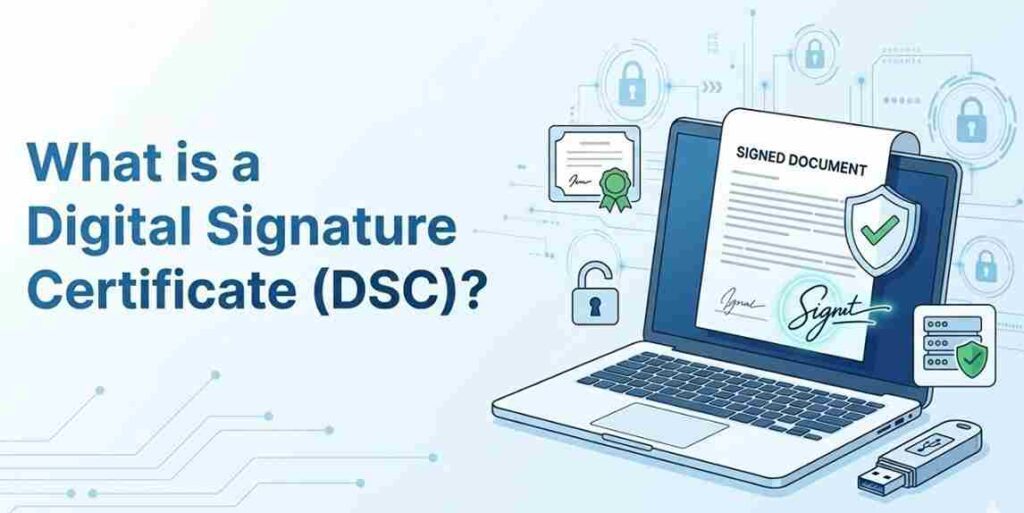
Class 3 DSC offers the highest level of authentication, which is why it is required for sensitive transactions and government portals.
Key Features
- Highest level of identity verification
- Secure document signing
- Legally valid under the Information Technology Act, 2000
- Stored securely inside a USB crypto token
Who Needs a Class 3 DSC?
A Class 3 Digital Signature Certificate is used by various professionals and organizations.
Common Users
Business Owners and Companies
- MCA filings
- Company compliance
Contractors and Vendors
- Government e-tender participation
- Procurement portals
Chartered Accountants & Professionals
- Income tax filing
- GST filings
Exporters & Importers
- DGFT portal
- ICEGATE portal
Because Class 2 DSC has been discontinued, Class 3 DSC is now the standard certificate used for most online government services.
Documents Required to Apply for Class 3 DSC
Before applying online, you need to keep some basic documents ready.
For Individual DSC
- PAN Card
- Aadhaar Card
- Mobile number linked with Aadhaar
- Email ID
- Passport size photo (sometimes required)
For Organization DSC
- Organization PAN
- Certificate of Incorporation
- Authorization letter
- Applicant identity proof
Most DSC providers now use Aadhaar OTP or video verification to complete the authentication process.
Step-by-Step Process to Buy Class 3 DSC Online
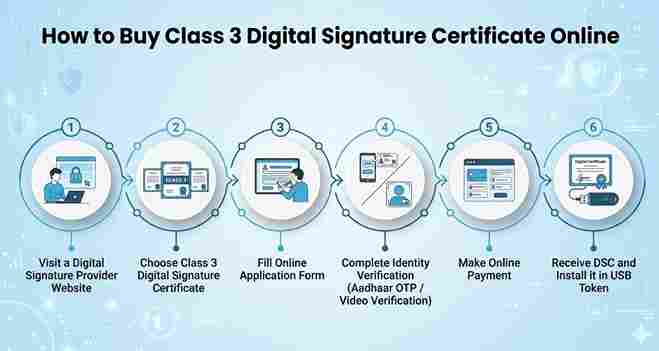
Applying for a digital signature certificate online is now very simple. The entire process can usually be completed within 15–30 minutes.
Step 1: Choose a Trusted DSC Provider
First, select a trusted and authorized DSC provider or Registration Authority (RA).
Then choose:
- Individual DSC or Organization DSC
- Validity period (1 year, 2 years, or 3 years)
Step 2: Fill the Online Application Form
Enter the required details such as:
- Full name
- PAN number
- Mobile number
- Email ID
- Address
Make sure the information matches exactly with your identity documents.
Step 3: Complete Identity Verification
Most DSC providers complete identity verification through:
- Aadhaar OTP authentication
or - Video verification
During verification, you may need to show your PAN card and face verification.
Step 4: Document Approval
After verification, the Certifying Authority reviews and approves the submitted documents. Once the documents are approved, your application moves to the next stage of DSC issuance.
Step 5: Login to eKYC Account and Make Payment
After document approval, the applicant needs to log in to the Digital Signature eKYC account provided during the application process.
Inside the account dashboard, you will need to complete the online payment for the DSC issuance.
Only after the payment is successfully completed will the certificate become available for download.
Step 6: Download Your Digital Signature Certificate
Once the payment is confirmed, you can download your Digital Signature Certificate directly from the eKYC portal.
After downloading:
- Install the DSC in your USB token
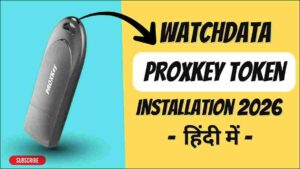
- Install the required token driver
- Your digital signature will be ready for use on government portals.
Common Errors While Applying for DSC
While applying for a digital signature certificate, users may face some common issues.
1. Identity Verification Failure
This happens when the PAN or Aadhaar details do not match.
Solution: Ensure the details entered in the application form match exactly with official documents.
2. USB Token Driver Not Installed
Sometimes the token may not work if the required driver is missing.
Solution: Install the latest USB token driver provided by your DSC provider.
3. Digital Signature Not Showing in Browser
This issue usually occurs due to browser configuration problems.
Solution
- Use the latest version of Google Chrome or Microsoft Edge
- Restart the browser after connecting the USB token.
Why Buy Class 3 DSC Online?
Buying DSC online offers several benefits compared to traditional offline methods.
Advantages
- Faster issuance (often within 30 minutes)
- Fully online verification process
- No physical paperwork required
- Instant support for installation
- Secure and legally valid digital signing
For professionals and businesses, this makes the process simple and efficient.
Apply for Class 3 Digital Signature Certificate
If you want to buy Class 3 DSC online, our team can help you with quick issuance and complete setup assistance.
We provide:
✔ New DSC issuance
✔ DSC renewal
✔ USB token support
✔ Installation assistance
✔ Error troubleshooting
Apply here:
https://digitalsignaturespot.com/product/digital-signature-certificate-renewal-online/
Or contact for quick support:
📞 Call / WhatsApp: +91-7579984381
Our team will guide you step-by-step and help you get your digital signature certificate issued quickly.
Frequently Asked Questions (FAQ)
What is the price of Class 3 DSC in India?
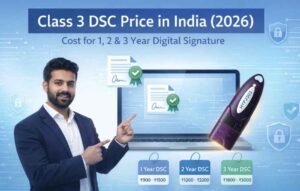
The price of Class 3 DSC varies depending on the validity period (1 year, 2 years, or 3 years) and whether it is for an individual or organization.
Can I buy Class 3 DSC online?
Yes. You can apply for a digital signature certificate online through authorized DSC providers using Aadhaar OTP or video verification.
How long does it take to get a DSC?
In most cases, DSC issuance takes 15 to 30 minutes after successful verification.
Do I need a USB token for DSC?
Yes. For security reasons, the digital signature certificate must be stored in a USB crypto token device.
Is Class 3 DSC required for eTender?
Yes. Government e-tender portals require Class 3 Digital Signature Certificate for secure document submission.
About the Author
Smarth is a Digital Signature expert associated with Digital Signature Spot, a platform that helps individuals and businesses obtain Digital Signature Certificates quickly and securely.
With years of experience in DSC issuance, token setup, and portal troubleshooting, he regularly publishes practical guides to help users understand digital signatures and solve technical issues related to DSC usage across government portals.

About author











Add comment