


Get Class 3 DSC for ICEGATE Portal: Complete Guide for Customs, Import & Export Filing
1. Introduction to Class 3 DSC for ICEGATE
Class 3 DSC for ICEGATE: With the digitization of Indian Customs, ICEGATE (Indian Customs Electronic Gateway) has become the backbone of online customs clearance, shipping bill filing, bill of entry submission, and other import–export compliances.
To ensure secure, tamper-proof, and legally valid transactions, ICEGATE mandates the use of a Class 3 Digital Signature Certificate (DSC).
This is why users frequently search for class 3 DSC for ICEGATE, especially when facing login issues, token errors, or certificate rejection during customs filing.

For Custom House Agents (CHA), importers, exporters, and logistics companies, Class 3 DSC is absolutely essential.
2. What is Class 3 DSC for ICEGATE?
Detailed Definition
A Class 3 Digital Signature Certificate is the highest security DSC issued under the Indian IT Act, designed for portals where high-value, sensitive, and regulated transactions take place—like ICEGATE.
For ICEGATE, Class 3 DSC is used to:
- File Bills of Entry & Shipping Bills
- Submit customs documents
- Authenticate ICEGATE login
- Digitally sign import/export data
Technical Overview
- Issued only after video eKYC
- Stored securely in a USB cryptographic token
- Uses advanced encryption (SHA-2)
- Legally valid across India
Relation with DSC Ecosystem
The same Class 3 DSC can also be used on DGFT, GST, MCA, Income Tax, PF, and ICEGATE, making it a multi-portal digital identity.
3. Why Class 3 DSC for ICEGATE is Required?

Business Use Cases
- Import/export documentation
- Customs clearance
- CHA operations
- Freight forwarding compliance
- Port and shipping filings
Compliance Needs
ICEGATE deals with high-risk financial and trade data, so Class 3 DSC ensures:
- Strong identity verification
- Non-repudiation
- Data security
Government Portal Requirement
ICEGATE does not accept lower-class DSCs for most critical operations. Class 3 is mandatory.
4. Eligibility & Pre-Requisites
Who Can Apply?
- Importers
- Exporters
- Customs House Agents (CHA)
- Logistics companies
- Authorized signatories
Document Checklist
- PAN card
- Aadhaar card
- Email & mobile number
- Passport-size photograph
Token & Software Requirements
- USB Token (ePass, ProxKey, mToken, etc.)
- Token driver installed
- ICEGATE DSC utility
- Compatible browser (Chrome / Edge)
5. Step-by-Step Guide: Class 3 DSC for ICEGATE
Complete Workflow
- Purchase Class 3 DSC from authorized provider
- Complete video-based eKYC
- Receive DSC in USB token
- Install token driver & signer utility
- Login to ICEGATE portal
- Register / map DSC
- Start customs filing
Best Practices
- Use PAN-matched DSC
- Plug token before login
- Avoid expired certificates
- Keep signer utility updated

6. Pricing, Validity & Cost Factors
Government Norms
- Validity: 1 year or 2 years
- No fixed government price
Market Price (Approx.)
- 1 Year: ₹1,500 – ₹2,000
- 2 Years: ₹2,500 – ₹3,200
Renewal Cost
Renewal is usually cheaper if done before expiry.
7. Portal-Specific Integration
(DGFT | GST | PF | MCA | ICEGATE)
Registration Steps
- Login to portal
- Go to DSC management
- Select certificate from token
- Confirm registration
Token Mapping
Ensure:
- Correct PAN
- Active certificate
- Single DSC mapped at a time
Certificate Validation
- Certificate chain installed
- Token password correct
- DSC not revoked or expired
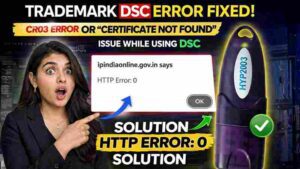
8. Common Errors in Class 3 DSC for ICEGATE & Fixes
Driver Issues
Fix: Reinstall latest USB token driver
Token Not Detected
Fix:
- Change USB port
- Restart browser
- Run utility as administrator
Certificate Mismatch
Fix: Use DSC with same PAN as ICEGATE profile
Portal-Specific Errors
Fix: Clear cache, update signer utility, disable popup blockers
9. Advanced Troubleshooting
- Install root & intermediate certificates
- Update Windows & browser
- Enable pop-ups & JavaScript
- Use IE mode if required
- Avoid multiple DSCs plugged together
10. Comparison with Related Topics
Class 2 vs Class 3 DSC
| Feature | Class 2 | Class 3 |
|---|---|---|
| Security Level | Medium | High |
| ICEGATE Use | ❌ | ✅ |
| Video eKYC | ❌ | ✅ |
Signing vs Encryption
- Signing DSC: Filing & authentication
- Encryption DSC: Secure data exchange
Brand-Wise Comparison
Legally all licensed CAs are same; service quality & support differ.
11. Security & Compliance Guidelines
- Never share token password
- Always remove token after use
- Renew before expiry
- Avoid public/shared systems
12. Expert Tips for Faster Approval & Use
- Ensure Aadhaar-PAN linkage
- Keep webcam ready for eKYC
- Prefer 2-year validity
- Use reliable DSC provider
- Install utilities before ICEGATE login
13. FAQs About Class 3 DSC for ICEGATE
Q1. Is Class 3 DSC mandatory for ICEGATE?
Yes, it is mandatory for most customs filings.
Q2. Can one DSC be used for ICEGATE and DGFT?
Yes, the same Class 3 DSC works across multiple portals.
Q3. What if my DSC expires?
You must renew or reissue before further filings.
Q4. Is USB token compulsory?
Yes, DSC must be stored in a secure USB token.
14. Conclusion
Class 3 DSC for ICEGATE is a critical compliance requirement for anyone involved in import-export and customs operations. It ensures security, legal validity, and uninterrupted filing on ICEGATE and related portals.
Choosing the right DSC and maintaining it properly helps avoid costly delays in customs clearance.
15. Call to Action
✅ Buy Class 3 DSC for ICEGATE
📞 WhatsApp Support: 7579984381
🌐 Website: digitalsignaturespot.com


About author













Add comment