

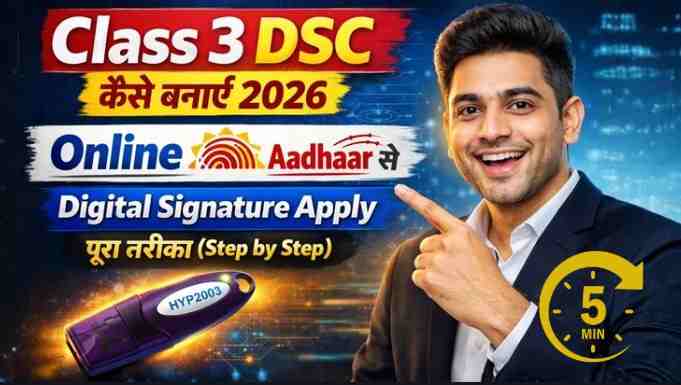
Class 3 DSC Apply Online in 2026 – Complete Step-by-Step Guide (Aadhaar Based Process)
Get Class 3 DSC Apply Online in 2026: In today’s digital ecosystem, a Class 3 Digital Signature Certificate (DSC) has become essential for businesses, professionals, and individuals who deal with government portals such as Income Tax, MCA, GST, ROC, DGFT, ICEGATE, and more.
If you are planning to apply for a Class 3 DSC in 2026, this guide explains the complete online process using Aadhaar OTP verification — clearly, practically, and based on real experience.
With over 11 years of hands-on experience in Digital Signature processing and support, I have helped thousands of clients successfully apply, verify, and install their DSC without errors. In this article, I’ll walk you through the exact process.
What is a Class 3 Digital Signature Certificate?
A Class 3 DSC is the highest level of digital signature issued to individuals and organizations. It is used for:
- Income Tax e-filing
- MCA (Ministry of Corporate Affairs) filings
- GST returns
- ROC filings
- Tender participation
- ICEGATE, DGFT registrations
- eProcurement portals
It ensures secure online authentication and legally validates electronic documents.
Types of Class 3 DSC
When applying, you will typically choose:
- Multi-Purpose DSC (Signing + Encryption)
- Validity: 1 Year / 2 Years / 3 Years
- User Type: Individual or Organization
For most users filing Income Tax, MCA, or GST, Individual Multi-Purpose Class 3 (2 Years validity) is the most practical option.
Online Aadhaar vs PAN Based DSC – Which One Should You Choose?
✅ Online Aadhaar (Recommended)
- Aadhaar OTP based authentication
- No physical document upload required
- No need to show documents during video verification
- Fast and smooth approval process
⚠ PAN Based Process
- Requires document upload
- Original documents must be shown during video verification
- Slightly longer verification time
If your Aadhaar mobile number is active and you can receive OTP, Online Aadhaar is the fastest and easiest option.
Step-by-Step Process to Apply for Class 3 DSC Online (2026)
Step 1: Visit the Official Application Portal
Go to: https://xtratrust.com/
Step 2: Select Certificate Details
- Certificate Type: Multi Purpose
- Class: Class 3
- User Type: Individual
- Validity: 2 Years
- Certificate Type – Signature/Signing
- Support Charges – No
Step 3: Choose Online Aadhaar
Enter your Aadhaar-linked mobile number.
Verify using OTP.
Step 4: Email Verification
Enter your email ID and verify via OTP.
Step 5: Aadhaar Authentication
Enter Aadhaar number (or Virtual ID).
Complete OTP verification.
Your details will auto-fetch from Aadhaar database.
Step 6: PAN Verification (Very Important)
Enter your PAN number carefully.
DSC is always PAN-based, and PAN name must match.
If Aadhaar name and PAN name differ, PAN name will be considered for DSC issuance.
Step 7: Business Partner Code (If Available)
If you have a partner code, enter it. Otherwise, proceed normally.
Step 8: Pay Later Option
You may choose “Pay Later” and first complete video verification.
Step 9: Video Verification
A verification link will be sent to your email.
Complete the short video KYC process.
After approval, proceed with payment and download instructions.
Common Mistakes to Avoid
- Using a mobile number not linked with Aadhaar
- Entering incorrect PAN details
- Not checking name mismatch between PAN and Aadhaar
- Skipping video verification
Even small errors can delay DSC issuance.
How Long Does It Take?
If all details are correct and Aadhaar OTP verification is smooth:
- Application Time: 10–15 minutes
- Video Verification: 5 minutes
- Approval Time: Usually same day
Why Choose Professional Assistance?

Although the process looks simple, many applicants face:
- PAN mismatch errors
- Token installation issues
- Browser compatibility problems
- USB token driver errors
With over 11 years of industry experience, we provide:
✔ Fast Processing
✔ Genuine Certificate
✔ Complete USB Token Installation Support
✔ Remote Assistance via WhatsApp
✔ Error Troubleshooting
Get Class 3 Digital Signature From Us
If you want a hassle-free experience, we provide complete end-to-end DSC assistance.
Apply Here:
https://xtratrust.com/
WhatsApp Support:
https://wa.me/917579984381
Business Partner Code & Assistance:
Email: digitalsignaturespot@gmail.com
Mobile: 7579984381
Final Thoughts
A Class 3 DSC is no longer optional — it is mandatory for secure government portal access. Applying through the Aadhaar-based online method is the fastest and most efficient way in 2026.
If you follow the correct steps and ensure PAN accuracy, the process is smooth and quick.
If you still have questions about DSC, video verification, USB token installation, or renewal, feel free to reach out.
About the Author
Samarth is a Digital Signature Consultant and the founder of Digital Signature Spot, with over 11 years of hands-on experience in the Digital Signature Certificate (DSC) industry. He has assisted thousands of individuals, professionals, CA firms, and businesses in successfully applying, renewing, and installing Class 3 Digital Signatures across platforms like Income Tax, MCA, GST, ICEGATE, and DGFT.
With deep practical knowledge of Aadhaar-based DSC processing, PAN verification issues, USB token installation, and government portal integration, Smarth specializes in simplifying complex technical procedures into easy, step-by-step solutions.
His mission is to make Digital Signature services fast, transparent, and hassle-free, while providing genuine certificates and complete post-issuance technical support.
For professional assistance or business inquiries:
📧 Email: digitalsignaturespot@gmail.com
📱 Mobile / WhatsApp: 7579984381
Frequently Asked Questions (FAQ) – Class 3 DSC Apply Online 2026
1. What is a Class 3 Digital Signature Certificate (DSC)?
A Class 3 DSC is the highest level of digital signature used for secure online transactions and government portal filings. It is mandatory for platforms like Income Tax, MCA, GST, ROC, DGFT, and e-tender portals.
2. Is Class 3 DSC mandatory in 2026?
Yes. For company filings, GST returns, Income Tax filings (in specific cases), and tender participation, a valid Class 3 DSC is required for secure authentication.
3. Can I apply for Class 3 DSC online using Aadhaar?
Yes. You can apply using Online Aadhaar OTP verification. If your mobile number is linked with Aadhaar, the process becomes fast and paperless without document upload.
4. What documents are required for Class 3 DSC?
If applying through Online Aadhaar:
- No document upload required
- Aadhaar OTP verification is enough
If applying via PAN-based method:
- PAN Card
- Address proof
- Video verification with original documents
5. How long does it take to get a Class 3 DSC?
If all details are correct:
- Application: 10–15 minutes
- Video verification: 5 minutes
- Approval: Usually same day
Delays may happen if PAN name mismatch or incorrect details are entered.
6. What if my PAN name and Aadhaar name are different?
DSC is issued based on PAN details. If there is a mismatch between Aadhaar and PAN, the PAN name will be considered. It is important to check name consistency before applying.
7. What is the validity of Class 3 DSC?
You can choose 1 Year, 2 Years, or 3 Years validity. Most users prefer 2 Years for cost-effectiveness.
8. Is USB Token mandatory for Class 3 DSC?
Yes. Class 3 DSC must be stored in a secure USB token device. It cannot be used directly without a token for security reasons.
9. Can I use one DSC for Income Tax, MCA, and GST?
Yes. A Multi-Purpose Class 3 DSC can be used across multiple government portals including Income Tax, MCA, GST, ROC, ICEGATE, and others.
10. What should I do if I face errors during DSC installation?
Common issues include:
- Token driver errors
- Browser compatibility issues
- DSC not detected on portal
In such cases, professional installation support is recommended to avoid delays.
About author












Add comment