

How to Renew Class 3 DSC (2026) – Step-by-Step Process & Token Rules
If your Class 3 Digital Signature Certificate (DSC) has expired or is about to expire, renewing it on time is mandatory to continue working on portals like MCA, GST, Income Tax, DGFT, Tender portals, and other government websites.
This guide explains how to renew Class 3 DSC, what DSC renewal means, required documents, video verification rules, USB token eligibility, common mistakes, and expert tips to avoid rejection.
To renew a Class 3 Digital Signature Certificate, apply through an authorized DSC vendor, submit PAN and Aadhaar documents, complete mandatory video verification as per CCA guidelines, finish eSign and payment, and download the renewed DSC into an eligible USB token with a new serial number.
What is DSC Renewal?
DSC renewal is the process of re-issuing a new Digital Signature Certificate after the old one expires and installing it again in the same USB token, provided the token is eligible.
In simple terms, when your DSC expires, a new Class 3 DSC is generated and downloaded into your existing USB token, instead of buying a new token.
Who Should Renew Class 3 DSC?
This guide is useful for:
- Company Directors
- Chartered Accountants (CA)
- Company Secretaries (CS)
- GST Practitioners
- Tender bidders
- Importers & Exporters (DGFT users)
If you use DSC for any government or compliance portal, Class 3 DSC renewal is mandatory after expiry.
Class 3 Digital Signature Renewal Price
The Class 3 Digital Signature Certificate (DSC) renewal price depends on the selected validity period, DSC usage type (MCA, GST, DGFT, Tender), and the service support included by the vendor. In most cases, DSC renewal is more affordable than purchasing a new DSC, provided your existing USB token is eligible.
Class 3 DSC Renewal Price in India (Approximate)
| Validity | Renewal Price Range |
|---|---|
| 1 Year | ₹700 – ₹1,200 |
| 2 Years | ₹1,200 – ₹1,800 |
| 3 Years | ₹1,800 – ₹2,500 |
Note: Prices may vary depending on the Certifying Authority, DSC variant, and whether professional assistance, video verification support, and token installation services are included.
What Is Included in the Renewal Price?
- Class 3 DSC issuance and renewal
- Correct DSC usage and variant selection
- Mandatory video verification as per CCA guidelines
- eSign and eKYC process
- Download and installation support in USB token
Expert Tip:
If your USB token is eligible, renewing your existing Class 3 DSC is faster, cost-effective, and technically safer than applying for a new digital signature certificate.
How to Renew Class 3 Digital Signature Certificate (Step-by-Step)
Step 1: Hire a Professional Digital Signature Vendor
Renewing DSC directly through a Certifying Authority can be confusing. Many users face issues due to:
- Wrong certificate type selection
- Wrong usage (MCA vs DGFT)
- Incorrect variant choice
👉 Recommendation:
Hiring an experienced Digital Signature vendor ensures correct DSC selection, zero rejection, and smooth processing.
Step 2: Documents Required for Class 3 DSC Renewal
For Individual Applicants:
- PAN Card
- Aadhaar Card
- Passport size photo
- Email ID
- Mobile number
For Organization / Company:
- PAN & Aadhaar of authorized signatory
- Authorization Letter
- GST Certificate
Step 3: DSC Processing & Correct Usage Selection
Your vendor will select the correct Class 3 DSC variant, such as:
- Class 3 Signing DSC → MCA, GST, Income Tax, Tender
- DGFT Class 3 DSC → DGFT portal
⚠️ This step is critical.
Wrong selection = DSC issued but does not work on required website.
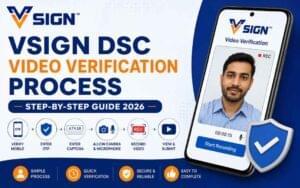
Step 4: Video Verification (Mandatory)
As per CCA (Controller of Certifying Authorities) guidelines, video verification is compulsory for DSC renewal.
You need to:
- Join a short video call
- Show your face and documents
- Confirm personal details
Without video verification, DSC renewal is not possible.
Step 5: eSign & Payment
After video verification:
- Applicant completes eSign verification
- Mobile OTP is used for eKYC
- DSC renewal payment is completed
- Download Passcode / Download Key is generated
Step 6: Download Renewed DSC in USB Token
Once everything is complete, you can download the renewed Class 3 DSC into your USB token.
⚠️ Important Rule:
Your USB token must have a new serial number, otherwise DSC download will fail.
How to Check USB Token Eligibility for DSC Renewal?
Check the serial number printed on your USB token.
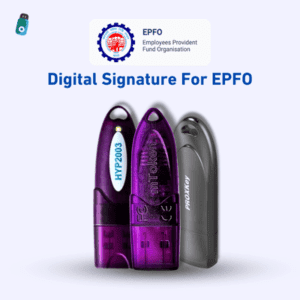
Supported USB Token Serial Numbers
- HYP2003 Token → Serial starts with
HS
Example:HS20add113eedss316 - WatchData ProxKey Token → Serial starts with
WD
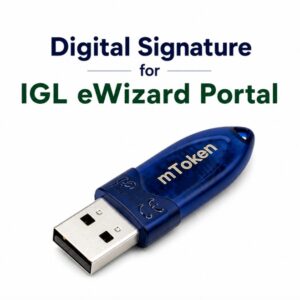
Example:WD3d45613146 - mToken → Serial starts with
CL
Example:CL4411334dd346sed3
If your token has an old serial number, DSC renewal will not work.
When Class 3 DSC Renewal is NOT Possible?
DSC renewal is not possible if:
- USB token has an old serial number
- Token was purchased before CCA cutoff guidelines
- Token is physically damaged or unreadable
In such cases, a new USB token is required.
Common Mistakes During Class 3 DSC Renewal
Avoid these mistakes to prevent rejection:
- Selecting wrong DSC usage (MCA instead of DGFT)
- Using old or unsupported USB token
- Skipping video verification
- PAN & Aadhaar name mismatch
- Choosing incorrect validity period
👉 These mistakes are the most common reason DSC “works but fails later”.
Class 3 DSC Renewal vs New DSC (Comparison Table)
| Feature | DSC Renewal | New DSC |
|---|---|---|
| USB Token | Same token (if eligible) | New token required |
| Processing Time | Faster | Slightly longer |
| Cost | Lower | Higher |
| Best For | Expired DSC users | First-time applicants |
How Long Does Class 3 DSC Renewal Take?
Class 3 DSC renewal usually takes 15 minutes to 2 hours, depending on:
- Document verification
- Video verification completion
- Token readiness
Is It Safe to Renew DSC Through a Vendor?
Yes. Renewing DSC through a professional Digital Signature vendor is safe and recommended because:
- Correct DSC variant selection
- CCA-compliant process
- Faster approval
- Zero technical confusion
Final Expert Recommendation
If you want:
- Correct Class 3 DSC
- No rejection or re-issue
- Guaranteed working DSC for MCA, GST, DGFT
👉 Always renew your Class 3 DSC through an experienced Digital Signature vendor instead of applying directly.
FAQ – How to Renew Class 3 DSC
Q How to renew Class 3 DSC?
To renew a Class 3 DSC, you need to apply through an authorized DSC vendor, submit required documents, complete video verification as per CCA guidelines, finish eSign and payment, and then download the renewed DSC into an eligible USB token.
Q : What is DSC renewal?
DSC renewal is the process of reissuing a new Digital Signature Certificate after expiry and installing it again in the same USB token, provided the token supports new serial number standards.
Q : Can I renew Class 3 DSC in the same USB token?
Yes, you can renew Class 3 DSC in the same USB token only if the token has a new serial number (HS, WD, or CL series). Old tokens are not supported as per CCA guidelines.
Q : Is video verification mandatory for DSC renewal?
Yes, video verification is mandatory for Class 3 DSC renewal. Without completing video verification, DSC issuance or renewal is not possible.
Q : What documents are required for Class 3 DSC renewal?
For individuals, PAN, Aadhaar, photo, email ID, and mobile number are required. For organizations, authorization letter and GST certificate are also mandatory.
Q : How long does Class 3 DSC renewal take?
Class 3 DSC renewal usually takes 15 minutes to 2 hours, depending on document verification and video verification completion.
Q : What happens if I select the wrong DSC type?
If the wrong DSC type or variant is selected, the DSC may get issued but will not work on the required portal like MCA or DGFT, causing future issues.
Q : Is it safe to renew DSC through a vendor?
Yes, renewing DSC through a professional digital signature vendor is safe and recommended, as they ensure correct DSC selection, compliance with CCA rules, and smooth processing.

About author














Add comment