

Get Class 3 DSC for GST – Complete Practical Guide Based on Real Experience
1. Introduction to Class 3 DSC for GST
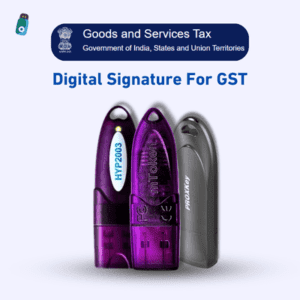
Class 3 DSC for GST If you are running a business registered under GST as a company, LLP, or authorized signatory, you will soon realize that GST compliance is incomplete without a Class 3 Digital Signature Certificate (DSC).
I regularly assist business owners, accountants, and consultants who face issues like DSC not registering on GST portal, token not detected, or return filing blocked due to signature error. Most of them search for “class 3 DSC for GST” because they want a clear answer, not technical confusion.

Simply put, a Class 3 DSC is the highest level of digital authentication required by the GST portal for secure and legally valid filings.
2. What is Class 3 DSC for GST?
Detailed Definition
A Class 3 Digital Signature Certificate is a government-approved electronic signature issued by a licensed Certifying Authority. For GST purposes, it is used to verify the identity of the authorized signatory while filing returns, refunds, and applications.
Technical Overview (Simplified)
- Based on Public Key Infrastructure (PKI)
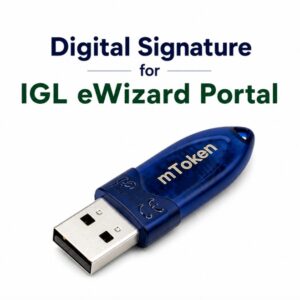
- Stored securely inside a USB crypto token
- Contains private & public cryptographic keys
- Legally valid under the IT Act, 2000
Relation with the DSC Ecosystem
For GST, Class 3 DSC connects:
- Business identity
- Authorized signatory
- GST portal
- USB token & signing utility
If any part of this chain fails, GST filings will not go through.
3. Why Class 3 DSC for GST Is Required?
Business Use Cases
From real GST cases, Class 3 DSC is required for:
- GST return filing (GSTR-1, GSTR-3B)
- GST refund applications
- Amendments in registration
- Notices and replies
- LUT filings
Compliance Needs
For Companies and LLPs, DSC is mandatory, not optional.
OTP-based verification is not allowed for these entities.
Government Portal Requirement
The GST portal enforces Class 3 DSC to ensure:
- Higher security
- Non-repudiation
- Legal validity of filings

4. Eligibility & Pre-Requisites
Who Can Apply or Use Class 3 DSC for GST?
- Company directors
- LLP partners
- Authorized signatories
- Chartered Accountants (on behalf of clients)
Document Checklist
Based on frequent rejection cases, keep these ready:
- PAN card (must be clear)
- Aadhaar card
- Active mobile number (OTP)
- Email ID
- Passport-size photograph
Experience Note:
Name mismatch between PAN and Aadhaar is the most common reason for DSC rejection.
Token & Software Requirements
- Government-approved USB crypto token
- EmSigner utility for GST
- Windows system preferred
- Updated Chrome or Edge browser
5. Step-by-Step Guide: Class 3 DSC for GST
Complete Workflow
- Apply for Class 3 DSC (Signing only is sufficient for GST)
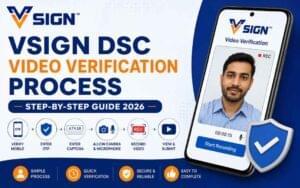
- Complete video eKYC verification
- Download DSC into USB token
- Install token drivers & EmSigner
- Register DSC on GST portal
Screenshots Recommended
For blogs or tutorials, screenshots should cover:
- EmSigner running status
- GST DSC registration page
- Successful DSC mapping message
Best Practices (From Daily Support)
- Use laptop instead of mobile
- Restart browser after EmSigner installation
- Insert token before opening GST portal
- Avoid VPN or office firewall
6. Pricing, Validity & Cost Factors
Government Norms
Only Class 3 DSC is valid for GST.
Market Prices (Indicative)
- 1 Year: ₹800 – ₹1500
- 2 Years: ₹1200 – ₹2500
(USB token cost may be extra)
Renewal Cost
Renewal is:
- Slightly cheaper
- Faster than fresh application
- Still requires verification
7. Portal-Specific Integration
GST Portal
- Mandatory DSC registration
- Uses EmSigner utility
MCA
- DSC mapped with DIN
DGFT
- Requires signing + encryption
ICEGATE
- Strict certificate validation
PF / EPFO
- DSC mandatory for employers
8. Common Errors in Class 3 DSC for GST and Fixes
Frequent Issues
- Token not detected
- EmSigner not running
- Certificate not visible
- Browser compatibility error
Fixes
- Reinstall token drivers
- Run EmSigner as administrator
- Use Edge browser
- Check certificate validity
9. Advanced Troubleshooting
For stubborn issues:
- Update USB token firmware
- Remove expired certificates
- Install certificate chain
- Check system date & time
- Disable antivirus temporarily
10. Comparison with Related Topics
Class 2 vs Class 3 DSC
- Class 2 ❌ discontinued
- Class 3 ✅ mandatory for GST
Signing vs Encryption
- GST requires Signing only
- Encryption needed for DGFT / ICEGATE
Brand-Wise Comparison
- eMudhra
- Capricorn
- Pantasign
- XtraTrust
(All are valid if licensed)
11. Security & Compliance Guidelines
From real misuse cases:
- Never share token password
- Change default PIN immediately
- Remove token after use
- Avoid public computers
12. Expert Tips for Faster Approval & Smooth Usage
✔ PAN & Aadhaar name match
✔ Clear video eKYC environment
✔ Correct token selection
✔ Proper utility installation
13. FAQs About Class 3 DSC for GST
Is Class 3 DSC mandatory for GST?
Yes, for companies and LLPs.
Can one DSC be used for multiple GSTs?
Yes, if authorized.
Does GST require encryption DSC?
No, signing is sufficient.
Can DSC be renewed before expiry?
Yes, and it is recommended.
14. Conclusion
Class 3 DSC for GST is not just a technical requirement — it is a legal backbone of GST compliance.
From hands-on experience, most GST DSC problems occur after purchase, during installation or registration. With the right guidance, these issues can be easily avoided.
15. Call to Action
✅ Buy Class 3 DSC for GST – Fully Online – buy now
📲 WhatsApp Support: 7579984381
🚚 Doorstep DSC Service – All India


About author















Add comment