

Buy DGFT Digital Signature (Class 3) and Master Registration on the Portal: The Deep Dive Expert Guide 2026
1. Introduction: Securing Your Trade Filings
Buy DGFT Digital Signature: For importers and exporters, the Directorate General of Foreign Trade (DGFT) portal is your central hub for licenses, applications, and compliance. The requirement to “buy DGFT Digital Signature” is not a suggestion—it is a mandatory compliance step to use the portal effectively.
- Brief Context: Your DSC is your secure, legally binding electronic identity for all high-value trade transactions.
- Why You’re Searching: You need a Class 3 Organisation DSC that is specifically registered and validated on the DGFT system to file documents, apply for schemes, and manage your Import Export Code (IEC).
- Importance: The correct DGFT DSC ensures non-repudiation and speeds up license issuance and application processing, as guaranteed by the high-security Class 3 standard.

2. What Exactly is a DGFT Digital Signature?
A DGFT DSC is a specialized version of the universally accepted Class 3 Organisation Digital Signature Certificate. The key difference lies in the validation data embedded within the certificate and the strict DGFT registration process.
- Detailed Definition: It is an identity certificate issued to the Authorized Signatory (Director, Partner, Proprietor) of an importing/exporting firm, containing both the signatory’s personal details and the firm’s details, including the PAN and sometimes the IEC.
- Technical Overview: The DGFT portal’s validation engine checks the DSC against the firm’s data held in the IEC database. For successful registration, the name and PAN/GSTIN in the certificate must exactly match the DGFT records.
- Relation with DSC Ecosystem: DGFT, like MCA and GST, requires Class 3 because it offers the highest level of assurance, confirmed by rigorous identity and document checks (including video verification) mandated by the CCA.
💡 My 10+ Year Experience Insight: DGFT has tight validation logic. The system validates the Organization Name in the DSC against the name linked to the PAN in the DGFT profile (for all entities except Proprietorship). Even minor name differences (like “Pvt Ltd” vs. “Private Limited”) can fail the registration, which is why a trusted CA partner is crucial for error-free issuance.
3. Why DGFT Digital Signature is Non-Negotiable
Using a DSC reduces paperwork, enhances security, and ensures your firm complies with the electronic filing mandates of the Ministry of Commerce & Industry.
| DGFT Compliance Use Case | Importance |
| IEC Profile Management | Mandatory for linking your profile to an existing IEC, applying for a new IEC (unless using Aadhaar e-Sign for Proprietors), and all profile modifications. |
| Trade License Filing | Required to digitally sign applications for schemes like Advance Authorisation (AA), EPCG (Export Promotion Capital Goods), and other import/export licenses. |
| Certificate of Origin (COO) | Essential for authenticating and digitally signing the online issuance of the Certificate of Origin. |
| Document Declarations | Used to digitally sign and submit various returns, declarations, and bonds on the DGFT portal. |
4. Eligibility & Granular Document Pre-Requisites
Who Can Apply?
The DSC must be applied for and used by the Proprietor, Director, Partner, Karta, or an authorized official whose personal PAN is linked to the firm’s IEC in the DGFT database.
Detailed Document Checklist (Organization DSC – Class 3)
The required documentation depends on the nature of your entity:
| Entity Type | Required Documents (All Scanned Copies) | Key Validation Points |
| Proprietorship | Proprietor’s PAN, Aadhaar, Passport Photo, GST Certificate, and IEC Copy. | DSC is issued as an Individual DSC but must be Class 3. DGFT validates the PAN hash in the DSC against the IEC profile. |
| Partnership/LLP | Applicant’s PAN/Aadhaar, Firm’s PAN, GST Certificate, Partnership Deed/LLP Agreement, Authorization Letter (on company letterhead), IEC Copy. | DGFT validates the Organization Name in the DSC against the PAN database. |
| Private/Public Ltd. | Applicant’s PAN/Aadhaar, Company PAN, Certificate of Incorporation, Board Resolution/Authorization Letter (authorizing the signatory), GST Certificate, IEC Copy. | DGFT validates the Organization Name and the signatory’s authority. |
Token & Software Requirements
- Valid Class 3 DSC: Must be unexpired and issued by a CCA-licensed CA.
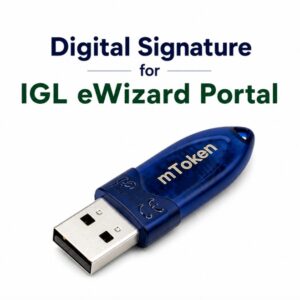
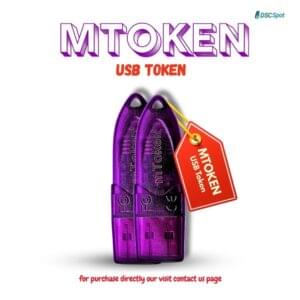
- USB Crypto Token: A physical, FIPS-certified hardware token (e.g., ProxKey, ePass) where the DSC is stored.
- Utility Software: The token driver and the DGFT-compatible signing utility (often emBridge or the CA’s specific client utility).
5. Step-by-Step Guide: Buying & Registering Your DGFT DSC
Phase 1: Obtaining the DSC (The Purchase Process)
- Choose Organisation Class 3: Select the Organisation Class 3 (Signing Only) DSC (or Combo if you also tender). Choose 2 or 3 years validity.
- Strict Data Entry: Fill out the application form ensuring the Organization Name and the Applicant’s PAN are entered exactly as they appear on your statutory documents and the DGFT portal.
- Document Upload: Upload the full set of required documents (see Section 4).
- Verification: Complete the Mobile/Email OTP verification and the mandatory Video Verification (V-SAT) where the signatory verifies their identity and documents live.
- CA Issuance: Once approved, the CA issues the DSC, and you download it onto your physical USB token.
Phase 2: Registration on the DGFT Portal (Token Mapping)

This is where the DGFT validation occurs.
- Install Pre-requisites: Install your token driver and the DGFT-specific utility (e.g., emBridge/eMudhra Utility). Crucially, ensure this utility is running and the service status is “Running” (check
services.mscon Windows). - DGFT Login: Log in to the DGFT portal (
https://dgft.gov.in/) using the credentials linked to your IEC. - Navigate to Registration: Go to My Dashboard $\to$ View and Register Digital Signature Token.
- Initiate Registration: Click “Register New DSC”.
- Select & Authorize: A pop-up will appear.
- Select your Certificate Provider.
- Select the correct Organisation Certificate from the list.
- Enter your USB Token PIN/Password.
- DGFT Validation Check: The system executes a validation check:
- Proprietorship: Validates the PAN in the DSC with the PAN in the IEC profile.
- Other Entities: Validates the Organization Name in the DSC against the name linked to the PAN in the DGFT profile.
- Confirmation: Upon successful validation, a “DSC Registered Successfully” message confirms the token is mapped to your IEC profile.
8. Common Errors in DGFT DSC Usage and Fixes (The Expert View)
| Error Message / Issue | Deeper Cause & Advanced Fix |
| “Digital Signature Invalid / Not Listed” | Cause: The DGFT utility (emBridge/CA client) is not interacting correctly with the portal, or the port is blocked. Fix: Ensure the utility is running as Administrator. Check the utility log file for specific port errors (often Java-related). |
| “Certificate does not match the IEC holder details” | Cause: The exact organization name format (Pvt. Ltd. vs. Private Limited, spacing, commas) differs between the DSC and the DGFT record. Fix: If the difference is minor, try contacting DGFT support. If the difference is major, you may need a fresh DSC application with the exact name. |
| “Token not detected/Provider list empty” | Cause: The token driver or the signing utility is conflicting with another service. Fix: Uninstall all other token drivers. Restart the PC and only run the necessary token utility before opening the browser. |
9. Advanced Troubleshooting: Solving Validation Failures
- The Name Mismatch Loophole: If minor differences (like punctuation or abbreviations) are causing failure, the DGFT system may allow you to proceed if you try multiple times, but this is risky. The permanent fix is to apply for a DSC with the exact name registered with the DGFT.
- Checking Service Status: Use the Windows Run command (
Win + R) and typeservices.msc. Look for the service name related to your CA’s utility (e.g.,eMudhra DSC Service) and ensure its status is Running. If it’s stopped, start it manually. - Browser Compatibility: While modern DGFT supports Chrome, if issues persist, try using a specific version of Firefox or Edge in compatibility mode, as sometimes older government signing logic relies on legacy browser configurations.
10. Comparison: Signing vs. Encryption for DGFT
- Signing DSC (Required): Essential for authenticating documents and verifying the source (non-repudiation) on the DGFT portal.
- Encryption DSC (Optional for DGFT): Used to encrypt data so that only the intended recipient can decrypt and read it.
- Recommendation: If you only use the DSC for DGFT filings, Signing Only is sufficient and cheaper. However, if your firm also participates in e-tendering, you must buy the Class 3 Sign & Encrypt Combo from day one.
11. Security & Compliance Guidelines
- Immediate PIN Change: Change the default PIN of your USB token immediately to a complex alphanumeric password.
- Access Control: Do not store the token PIN on the computer or share it. The person with the token and PIN has the legal power to sign on behalf of your import-export company.
- Renewal Time: Start the re-application process at least 30 days before the DSC expires to ensure seamless compliance and avoid disruptions to your trade filings.
12. Expert Tips for Faster Approval
- Prepare the Authorization Letter: For Partnership/LLP/Company, keep the Board Resolution or Authorization Letter ready in the required format. This is the most scrutinized document for Organisation DSCs.
- Video Verification Clarity: Ensure the signatory’s face, the organization’s name/logo in the background (if applicable), and the spoken script are perfectly clear. Video rejection is the leading cause of application delays.
- Verify DGFT Mapping First: Once you receive the token, before attempting any major filing, perform the simple Registration/Mapping step in the DGFT dashboard (Section 7) to ensure the system accepts your new DSC.
13. FAQs about Buying DGFT Digital Signature
| Q | Answer |
| Is IEC-based DSC still mandatory? | No. DGFT now accepts generic Class 3 Organisation DSCs issued by any CCA-licensed CA, provided the name/PAN validation is successful. |
| Can a Proprietor use an Individual DSC for DGFT? | Yes, the DGFT portal is configured to allow a Class 3 Individual DSC for Proprietorships, as the business PAN is the same as the individual PAN. |
| What is the penalty for using an expired DSC? | You will not be able to file or modify anything on the DGFT portal, which can result in trade disruptions and late fee penalties for non-compliance. |
| Does the DSC cost include the token? | Typically yes, but always confirm the price includes the FIPS-certified USB Crypto Token. |
14. Conclusion
Summary
To successfully buy DGFT Digital Signature, you need a Class 3 Organisation DSC and the knowledge to register it correctly by ensuring perfect data congruence between the DSC and the DGFT/PAN databases. This investment is crucial for your compliance and efficiency in international trade.
Final Recommendation
Do not opt for low-cost, unverified providers. Choose a trusted partner who guarantees DGFT-specific validation support. For maximum utility, consider the 3-year Class 3 Organisation Signing DSC.
Stop worrying about DGFT compliance errors. Get your trade authorized today!


About author















Add comment